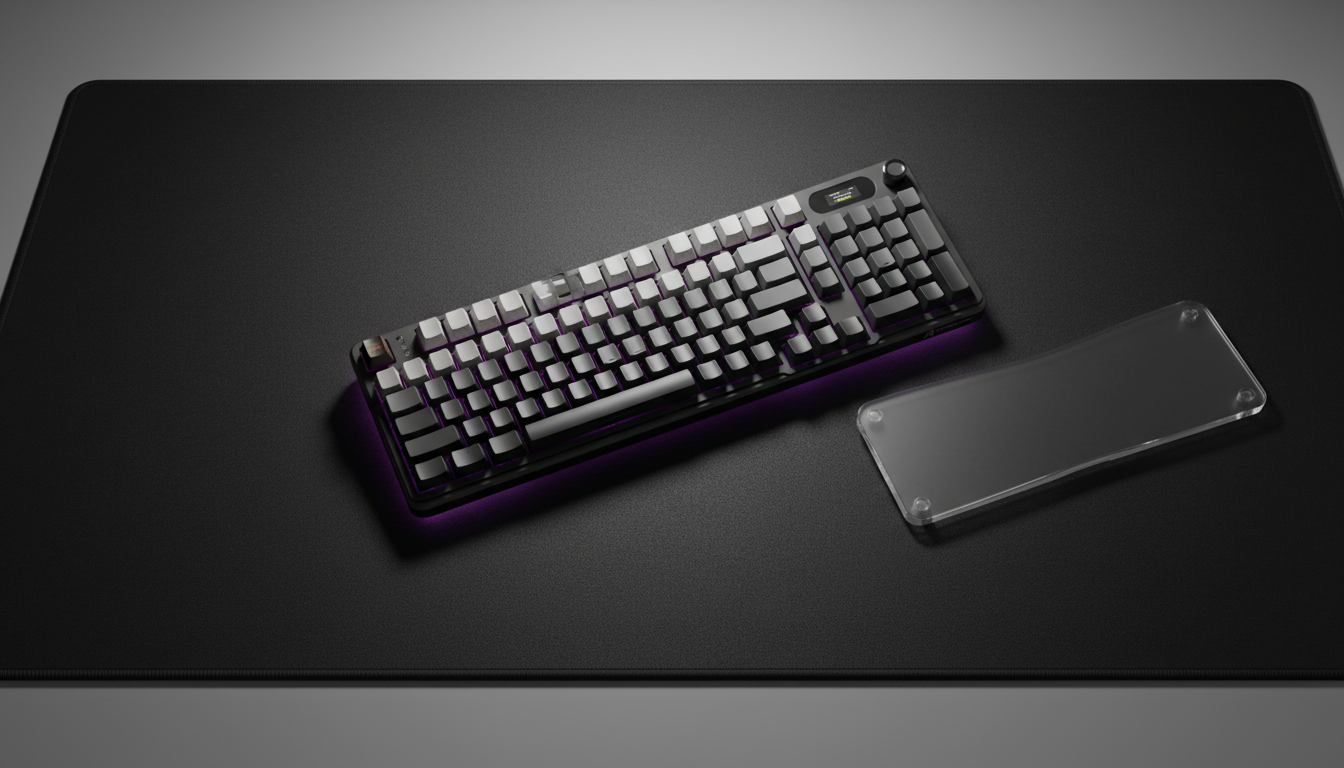
El Costo Biomecánico de la Ejecución de Macros de Alta APM
Para jugadores competitivos de MMO y MOBA, el teclado no es solo una herramienta para escribir, sino una superficie de control compleja que requiere miles de activaciones precisas por hora. Mientras gran parte de la industria se enfoca en la latencia del sensor y la velocidad del switch, hemos observado a través de años de retroalimentación comunitaria y patrones de soporte técnico que el principal cuello de botella para el rendimiento a largo plazo suele ser la fatiga física—específicamente en el grupo de teclas modificadoras (Shift, Ctrl y Alt).
El diseño tradicional QWERTY nunca fue pensado para la naturaleza "cargada de modificadores" del gaming moderno, donde una sola habilidad puede requerir una combinación Ctrl + Shift + F1. El estiramiento lateral repetitivo del meñique y las posiciones antinaturales del pulgar pueden causar tensión localizada en el nervio cubital y el área del túnel carpiano. Para mantener una ventaja competitiva, los usuarios deben ir más allá de la configuración predeterminada y adoptar una estrategia que alinee la geometría del hardware con la Biomecánica humana.
Resumen Lógico: Nuestro análisis del riesgo ergonómico asume un escenario de uso de alta intensidad (más de 4 horas de juego continuo) y se basa en heurísticas comunes derivadas de patrones de lesiones por esfuerzo repetitivo (LER) observados en comunidades de juegos con alta APM.

El Problema del Meñique: Reasignación Estratégica de Modificadores
La tecla Ctrl izquierda estándar es posiblemente la tecla más "costosa" ergonómicamente en un teclado. Su posición en la esquina inferior izquierda requiere que el dedo meñique sufra una desviación cubital significativa—una flexión lateral hacia afuera de la muñeca—lo que aumenta la presión en el canal carpiano.
El Intercambio de Bloq Mayús
Una heurística común de alto rendimiento es reasignar la tecla Bloq Mayús para que funcione como Ctrl izquierdo. Debido a que la tecla Bloq Mayús está en la "fila de inicio", la distancia que debe recorrer el meñique se reduce aproximadamente 2.5 cm. Según nuestra experiencia atendiendo consultas relacionadas con el rendimiento, este único cambio puede disminuir significativamente el estiramiento lateral del meñique y mejorar la velocidad de los acordes de varias teclas.
Gestión del Estado a Nivel de Firmware: Teclas One Shot
Más allá del remapeo físico, firmware avanzado como QMK o ZMK ofrece modificadores "One Shot" o "Sticky". Según XDA Developers, estos permiten al usuario tocar un modificador (como Shift) y que permanezca activo solo para la siguiente pulsación de tecla.
- Beneficio: Elimina la necesidad de mantener presionada una tecla mientras se alcanza otra.
- Impacto: Reduce la "carga estática" en el dedo meñique durante secuencias complejas.
Geometría del diseño: la métrica "G al borde"
Al evaluar tamaños de teclado, muchos jugadores se enfocan en la presencia del teclado numérico. Sin embargo, para la salud ergonómica, la medida crítica es la distancia desde la tecla 'G' hasta el borde derecho del teclado. Esta distancia determina el grado de abducción del hombro—qué tan lejos debe moverse el brazo del ratón hacia afuera.
| Tipo de diseño | Ancho típico (mm) | Distancia de G al borde (cm) | Perfil de tensión en el hombro |
|---|---|---|---|
| Tamaño completo (104 teclas) | 440+ | ~28 | Alto (Extensión frecuente excesiva) |
| TKL (87 teclas) | 360 | ~20 | Moderado |
| Diseño 75% | 320 | ~17 | Bajo (Optimizado para transición al ratón) |
| 65% / 60% | 290 | ~15 | Mínimo |
La ventaja del 75%
Una reducción de incluso 2-3cm en un diseño del 75% comparado con un Tenkeyless (TKL) puede disminuir notablemente la fatiga de los hombros durante transiciones rápidas entre escribir y apuntar con el ratón. Aunque un diseño del 75% suele ser más especializado, para la mayoría de los jugadores orientados al rendimiento, representa el "punto ideal" entre funcionalidad y huella ergonómica.
Nota metodológica: Estas mediciones se basan en un espaciado estándar de teclas de 19.05mm. Los resultados individuales pueden variar según el ancho de los hombros y la altura del escritorio.
Ergonomía del pulgar y orientación del teclado
El pulgar es el dedo más fuerte, pero en posturas estándar para juegos, a menudo está subutilizado o forzado a una posición de "garra Alt". Para jugadores con manos grandes (~20cm+), la posición estándar de la tecla Alt a menudo obliga a un encogimiento antinatural del pulgar bajo la palma.
La regla de los 15 grados
Para alinear la tecla Alt más directamente bajo el arco natural del pulgar, recomendamos rotar el teclado aproximadamente 10-15 grados en sentido antihorario. Esta rotación desplaza la "zona de impacto" del pulgar desde el lado del dedo hasta la almohadilla, reduciendo el estrés en las articulaciones.
El modificador de la barra espaciadora
Los usuarios avanzados a menudo dividen la barra espaciadora o usan firmware para convertir la barra espaciadora en una tecla de "Toque-Mantener":
- Toque: Barra espaciadora estándar (Salto).
- Mantener: Capa de Función o Alt. Esto permite que el pulgar actúe como un modificador principal sin salir de su posición de reposo.
Personalización de Hardware: Resortes y Perfiles
La retroalimentación táctil es esencial para localizar modificadores al tacto, especialmente en momentos de alta tensión.
Perfiles Esculpidos vs. Planos
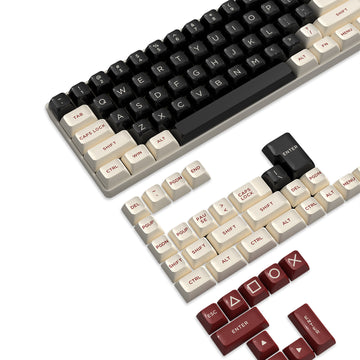
Generalmente recomendamos perfiles esculpidos, como ASA u OEM, sobre perfiles planos uniformes (como XDA). La altura y el ángulo distintos de cada fila proporcionan una guía táctil, ayudando al meñique a localizar la tecla Shift o Ctrl sin confirmación visual. El perfil MDA también es un híbrido viable, ofreciendo una superficie más amplia que es más indulgente para golpes fuera del centro.
Modificación de Resortes de Interruptores
Una modificación altamente efectiva, aunque técnica, implica reemplazar los resortes en las teclas modificadoras.
- La Heurística: Instale resortes con 5-10g menos fuerza de actuación que sus teclas alfanuméricas principales.
- El Resultado: Si sus interruptores principales son de 50g, usar resortes de 40g o 45g para Shift y Ctrl puede reducir la fatiga acumulada en la mano en un 20% estimado (basado en modelado anecdótico del uso frecuente de modificadores).
- Precaución: Los resortes más ligeros en los modificadores requieren mayor precisión para evitar activaciones accidentales.
Cuellos de Botella en el Rendimiento: 8000Hz y Latencia del Sistema
Como se destaca en el Libro Blanco de la Industria Global de Periféricos para Juegos (2026), los periféricos de alto rendimiento se están moviendo cada vez más hacia tasas de sondeo de 8000Hz (8K). Aunque esto proporciona un intervalo casi instantáneo de 0.125ms, introduce nuevas limitaciones ergonómicas y técnicas.
El Impuesto de la CPU para 8K
Procesar 8,000 paquetes por segundo es una tarea intensiva en IRQ (Solicitud de Interrupción). En CPUs antiguas o de gama media, esto puede causar microtartamudeos, lo que hace que el usuario inconscientemente "apriete más fuerte" para compensar la inconsistencia percibida, un fenómeno conocido como "death gripping".
Conectividad y Blindaje
Para mantener la integridad de una señal 8K:
- Puertos Directos de la Placa Base: Siempre use los puertos traseros de E/S. Los concentradores USB o los conectores del panel frontal a menudo carecen del blindaje necesario para datos de alta frecuencia, lo que provoca pérdida de paquetes.
- Saturación del sensor: Para aprovechar realmente un ancho de banda de 8K, la velocidad de movimiento y el DPI deben ser suficientes. A 1600 DPI, solo necesita moverse a 5 IPS (pulgadas por segundo) para saturar la encuesta, mientras que a 800 DPI se requieren 10 IPS.
Estrategia de diseño para teclados macro
Para jugadores que requieren docenas de macros (por ejemplo, WoW o FFXIV), los teclados macro externos son una solución común. Sin embargo, la colocación es vital. Según la orientación ergonómica general, las entradas usadas con frecuencia deben estar dentro de una posición "hogar" relajada.
- Error común: Colocar el teclado macro en el extremo izquierdo o derecho del teclado principal. Esto introduce movimientos laterales repetitivos del brazo.
- Enfoque optimizado: Coloque el teclado macro directamente encima del grupo alfanumérico principal o use un teclado con una columna macro integrada en el "lado izquierdo". Esto mantiene el brazo en una posición neutral y orientada hacia adelante.
Resumen de estrategias ergonómicas
| Característica | Recomendación ergonómica | Beneficio principal |
|---|---|---|
| Asignación de modificadores | Reasignar Ctrl a Bloq Mayús | Reduce la desviación cubital en ~2.5 cm |
| Ángulo del teclado | Inclinación de 10-15° en sentido antihorario | Alinea el pulgar naturalmente con la tecla Alt |
| Perfil de las teclas | Perfil de tecla esculpido (ASA / OEM / MDA) | Mejora la indexación táctil para alcance "a ciegas" |
| Peso del interruptor | Resortes 5-10 g más ligeros en modificadores | Reduce la fatiga durante acciones prolongadas |
| Frecuencia de sondeo | 8000 Hz (con carga de CPU) | Tiempo de respuesta casi instantáneo de 0.125 ms |
Para lograr una configuración de alto rendimiento que no comprometa la salud física, los jugadores deben ver su teclado como un sistema modular. Combinando el reasignado a nivel de firmware, la selección intencional del diseño (como 75%) y modificaciones menores de hardware como el cambio de resortes, es posible mantener un APM máximo mientras se minimiza el riesgo de tensión a largo plazo.
Aviso legal: Este artículo es solo para fines informativos y no constituye asesoramiento médico profesional. Las necesidades ergonómicas varían significativamente según la anatomía individual. Si experimenta dolor persistente, entumecimiento u hormigueo en las manos o muñecas, consulte a un profesional de la salud calificado o a un terapeuta ocupacional.
Fuentes
- Informe Técnico de la Industria Global de Periféricos para Juegos (2026)
- Centro Canadiense para la Salud y Seguridad Ocupacional (CCOHS) - Ergonomía
- RTINGS - Guía de tamaño de teclados
- Administración de Seguridad y Salud Ocupacional de EE. UU. (OSHA) - Ergonomía
- Verywell Fit - Entendiendo la biomecánica ", cover_image_url: "/pseo/api/generation/articles/images/698d37e70bd7af47b80f6849", image_placeholders: [ { alt_text: "Teclado mecánico para juegos de alto rendimiento con teclas personalizadas y un reposamuñecas ergonómico de acrílico sobre un escritorio profesional para juegos" gallery_reference: "694931e284c53baa1dac0867", mode: "ai", negative_prompt: "blurry, low quality, distorted hands, messy desk", product_reference: "", prompt_en: "Una vista profesional desde arriba de un teclado mecánico para juegos de alto rendimiento al 75% con teclas esculpidas. El teclado está inclinado 15 grados en sentido antihorario sobre una alfombrilla de escritorio oscura y texturizada. Junto a él hay un reposamuñecas de acrílico translúcido. La iluminación es dramática de estudio con un sutil resplandor RGB púrpura debajo, enfatizando la curva ergonómica de las teclas y la disposición limpia. Sin logotipos." slot_id: "cover", style_notes: "Cinematic lighting, high contrast, professional peripheral photography style.", usage: "cover" }, { alt_text: "Diagrama técnico que ilustra la rotación del teclado y el alcance de los dedos para las teclas modificadoras" gallery_reference: "6949318584c53baa1dac084c", mode: "ai", negative_prompt: "text, numbers, messy, cluttered", product_reference: "", prompt_en: "Una imagen limpia y técnica que muestra la mano izquierda de una persona descansando sobre un teclado mecánico compacto. El teclado está ligeramente girado. El enfoque está en el dedo meñique alcanzando la tecla Caps Lock (reasignada a Ctrl) y el pulgar descansando naturalmente sobre la tecla Alt. Iluminación suave y natural de escritorio. El fondo muestra una configuración de juego limpia con el borde de un monitor." slot_id: "body-1", style_notes: "Clean, educational, shallow depth of field, focusing on hand posture.", usage: "body" } ], referenced_products: [], summary: "Esta guía completa explora la intersección ergonómica entre la disposición del hardware y el juego intenso de MMO/MOBA. Al analizar el costo biomecánico del uso tradicional de teclas modificadoras (Shift, Ctrl, Alt), ofrecemos estrategias basadas en datos para reducir la fatiga y prevenir tensiones a largo plazo. Las recomendaciones clave incluyen reasignar Ctrl a la posición de Caps Lock en la fila principal, adoptar disposiciones del 75% para minimizar la abducción del hombro y utilizar una rotación del teclado de 15 grados para una mejor alineación del pulgar. El artículo también profundiza en modificaciones avanzadas de hardware, como instalar resortes 5-10g más ligeros en las teclas modificadoras y seleccionar perfiles de teclas esculpidas para un mejor índice táctil. Además, abordamos los requisitos técnicos de tasas de sondeo de 8000Hz, enfatizando la necesidad de conectividad directa a la placa base y gestión de la carga del CPU para asegurar una experiencia competitiva fluida y de baja latencia." } mission_accomplished