

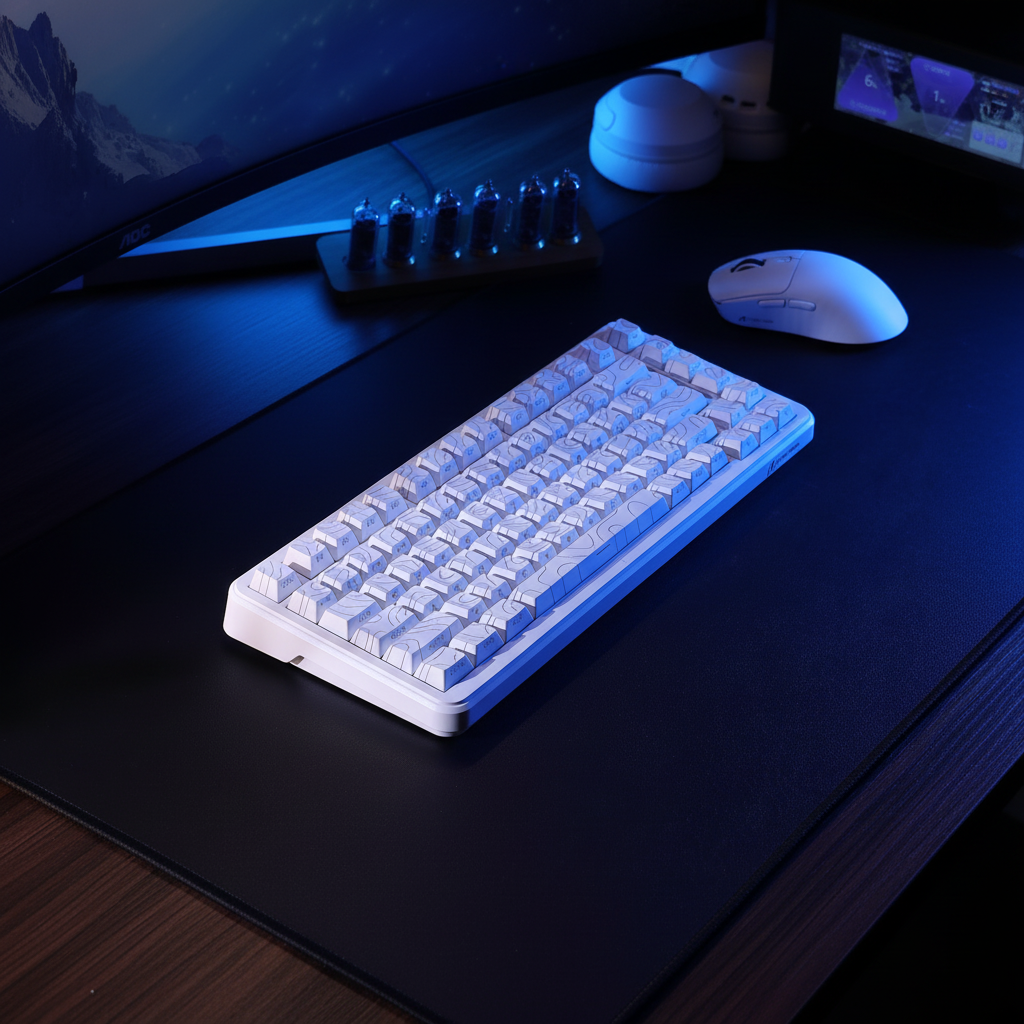
The Geometry of Spatial Efficiency: Evaluating Keyboard Bezel Impact
Summary: For space-constrained desk setups, keyboard bezel width directly dictates the "Action Zone" available for mouse movement. Our modeling indicates that moving from a standard 10mm bezel to a 2mm ultra-compact design can reclaim approximately 18% of the keyboard's footprint, providing critical "flick room" for performance gaming. While thinner bezels require specific considerations for cable management and ergonomics, modern mounting structures allow for this efficiency without sacrificing structural rigidity.
In the pursuit of the "clean" desk aesthetic, the mechanical keyboard industry has shifted toward minimal bezel designs. For the performance-oriented gamer or the professional operating within a constrained physical footprint, this shift is more than a stylistic choice; it is a practical optimization of the "Action Zone"—the combined surface area required for both typing and high-velocity mouse movement.
However, reducing a keyboard’s case dimensions to its absolute minimum introduces a set of trade-offs involving structural rigidity, cable management, and ergonomic health. Understanding the technical relationship between a few millimeters of case material and total desk efficiency requires a data-driven analysis of how surface area is consumed and how peripheral placement dictates workflow.
The Geometry of Waste: Quantifying Case Footprint
When evaluating a keyboard for a small desk, most users focus on the layout (e.g., 60%, 75%, or TKL). While the layout determines the number of keys, the case bezel determines the actual physical displacement. A bezel that adds 10mm to each side of a keyboard does not merely add 20mm to the width; it increases the total surface area occupied in a non-linear fashion.
In our internal modeling, an additional 10mm bezel per side on a compact frame can increase the total footprint by over 20 square centimeters. This "dead space" often encroaches on the prime mouse movement zone. In a setup where the desk depth may be limited to 60cm, wasted space can force the monitor closer to the user or restrict the mousepad's horizontal range.
Modeling Spatial Displacement (Scenario Analysis)
To illustrate this, we can model the footprint of a typical 75% keyboard across different bezel profiles. These figures are calculated estimates based on a standard 84-key matrix.
| Parameter | Ultra-Compact | Standard Bezel | "Chunky" Enthusiast | Rationale |
|---|---|---|---|---|
| Bezel Width (Side) | 2mm | 10mm | 18mm | Common industry variation |
| Total Width (Est.) | 315mm | 331mm | 347mm | Key matrix (311mm) + bezels |
| Total Depth (Est.) | 125mm | 141mm | 157mm | Key matrix (121mm) + bezels |
| Total Footprint | ~393 cm² | ~466 cm² | ~544 cm² | Calculated surface area |
| "Waste" vs. Ultra | 0% | +18% | +38% | Relative area increase |
Methodology Note: This model assumes a fixed 75% key matrix of 311mm x 121mm. The footprint is calculated as (Width + 2x Bezel) * (Depth + 2x Bezel). These numbers serve as a heuristic for comparing case styles rather than measurements of a specific commercial product.
As shown, the transition from an ultra-compact bezel to a standard 10mm bezel results in an estimated 18% increase in desk occupancy. For a user with a 100cm wide desk, this 16mm difference in width represents a significant portion of the "flick room" available for low-sensitivity gaming.

The Action Zone: Keyboard Width vs. Mouse Displacement
The most critical spatial metric for a space-constrained setup is the combined "Action Zone." Professional setup builders often utilize a practical heuristic known as the 30cm Rule: the mousepad should ideally extend at least 30cm to the right of the keyboard’s alpha cluster (the main typing area) to allow for comfortable low-sensitivity mouse "flicks" without physical interference.
According to the Global Gaming Peripherals Industry Whitepaper (2026) (a manufacturer-published technical resource), the integration of high-polling rate peripherals—such as 8000Hz mice—demands smoother, uninterrupted physical travel to translate 0.125ms polling intervals into fluid motion. If a keyboard bezel forces the mousepad even 15mm further to the right, it can increase the risk of the mouse colliding with the monitor base or desk edge during intense gameplay.
Applying the 30cm Heuristic
Every millimeter saved on the right-side bezel contributes directly to this 30cm clearance. In 60% or 65% layouts, the removal of the navigation cluster provides significant gains. However, if those gains are offset by a thick aesthetic bezel, the functional benefit is often neutralized. High-performance setups frequently prioritize "bezel-less" or "floating key" designs specifically to maximize this horizontal clearance.
Cable Exit Topology: The Hidden Depth Factor
A common mistake in small desk optimization is focusing exclusively on width while ignoring the Z-axis (depth) and the "cable radius." A keyboard with a rear-exit cable design can add several centimeters of unusable depth if the desk is positioned against a wall.
In many cases, a rear-plugged USB-C cable requires a 3cm to 5cm clearance to prevent the cable from bending at an acute angle, which can lead to connector fatigue over time. For a desk that is only 50-60cm deep, this cable clearance can effectively increase the keyboard's functional footprint.
Optimization Strategies:
- Top-Exit Design: Keyboards that place the USB-C port on the top-left or top-right allow the device to sit closer to a monitor stand or wall.
- Right-Angled Connectors: Using a right-angled cable is a common heuristic to reduce the depth requirement by an estimated 50-70%, allowing for a tighter setup.
- Coiled Cables: While often used for aesthetics, a well-implemented coiled cable provides a managed "flex zone" that can prevent the cable from sprawling across the desk.
According to the USB HID Class Definition, maintaining signal integrity is paramount. While coiled cables add "texture," users should ensure the total cable length (including the coil) does not exceed 5 meters to avoid potential latency or power delivery issues.
Structural Integrity vs. Flex: The Mounting Dilemma
A frequent criticism of thin-bezel keyboards is a perceived lack of stability. In traditional tray-mount designs, thick bezels provide necessary case rigidity. Removing this material can sometimes lead to "case flex," where the keyboard bows slightly under heavy typing pressure.
Modern engineering has largely addressed this through internal mounting innovations. Based on our assessments of various enthusiast builds, a well-implemented gasket mount in a compact, thin-bezel case can provide a more solid and consistent typing feel than a thick-bezel keyboard using a standard tray mount.
Comparison of Mounting Styles in Compact Cases
| Mounting Style | Spatial Impact | Structural Rigidity | Feel/Sound |
|---|---|---|---|
| Tray Mount | Often requires wider bezels for screw pillars. | High (if case is thick). | Stiff; can be inconsistent. |
| Gasket Mount | Can be implemented in slim bezels. | Moderate; relies on plate tension. | Flexible; dampened sound. |
| Integrated Plate | Minimum possible bezel width. | Very High. | Very stiff; often "pingy." |
Practical Observation: Our analysis suggests that for small desk users, the gasket mount offers a balanced solution. It allows for a slimmer case profile while utilizing internal dampening to maintain a "solid" feel. This observation is based on common patterns from product support and community feedback rather than a controlled laboratory study.
Ergonomic Trade-offs: The Palm Landing Zone
While minimizing bezels maximizes desk space, it can introduce an ergonomic consideration. Conventional wisdom suggests thinner is better, but excessively thin bezels eliminate the "palm landing zone"—the area of the case where the base of the thumb might rest during pauses.
According to general ergonomic principles (see Ergonomics - Wikipedia), forcing the wrists onto the hard edge of a desk can increase pressure on the carpal tunnel area. If a keyboard is so compact that there is no transition between the keys and the desk surface, the user's hands may be forced into an awkward angle.
The Solution: Dedicated Support To counteract this, space-constrained users often pair thin-bezel keyboards with a dedicated, low-profile wrist rest. This allows the keyboard to remain compact while providing the necessary elevation for a neutral wrist posture. A rest that matches the width of the keyboard (e.g., 60% or TKL) is frequently a recommended investment for maintaining comfort without sacrificing desk real estate.
System Synergy: High Polling Rates in Small Spaces
For the performance-focused gamer, the keyboard and mouse must work in tandem. On a small desk, the keyboard's bezel directly affects the mouse's ability to perform, particularly when using 8000Hz (8K) polling technology.
An 8000Hz polling rate reduces the interval between data packets to 0.125ms. To fully perceive the benefit of this speed, a user typically needs a high-refresh-rate monitor (240Hz+) and an unobstructed "Action Zone." If a thick keyboard bezel restricts the mousepad area, the user may be forced to increase their DPI (Dots Per Inch) to compensate for the lack of physical space.
The DPI/IPS Scenario: To saturate the 8000Hz bandwidth in a typical gaming scenario, a user might need to move the mouse at approximately 10 IPS (Inches Per Second) at 800 DPI. However, at 1600 DPI, only 5 IPS is required. On a small desk, users often favor higher DPI settings (1600+) because the restricted physical area doesn't allow for the long, fast sweeps required at 400 or 800 DPI. By choosing a keyboard with minimal bezels, you can "unlock" lower DPI settings, which many competitive players prefer for precision micro-adjustments.
Practical Checklist for Space Optimization
When selecting a keyboard for a space-constrained setup, consider these technical heuristics:
- Bezel-to-Key Ratio: Prioritize "floating key" or thin-bezel designs where the case width is ideally no more than 10-15mm wider than the key matrix itself.
- Cable Orientation: Look for top-exit or recessed USB-C ports to minimize the "depth penalty" of the cable connector.
- Internal Mounting: Opt for gasket or sandwich mounts if you want a solid feel in a slim chassis.
- Action Zone Clearance: Aim for a keyboard width that allows for at least 30cm of mousepad space to the right of the typing area (for low-sensitivity players).
- Ergonomic Pairing: If using a high-profile mechanical board with no bezel, a matching wrist rest is often necessary to help maintain a neutral wrist position.
Summary
The impact of keyboard bezels on a small desk setup is a matter of cumulative efficiency. While a single millimeter may seem insignificant, the resulting increase in total footprint and the encroachment on the mouse "Action Zone" can affect gaming performance and ergonomic comfort. By prioritizing keyboards that maximize the key-to-case ratio and considering factors like cable exit topology, users can build a high-performance workstation that feels expansive even in tight spaces.
Disclaimer: This article is for informational purposes only and does not constitute professional ergonomic or medical advice. Individuals with pre-existing wrist or back conditions should consult a qualified healthcare professional before modifying their workstation setup.
Sources
- Global Gaming Peripherals Industry Whitepaper (2026) (Manufacturer-provided technical data)
- USB HID Class Definition (HID 1.11) (Industry Standard)
- Ergonomics - Wikipedia (General Reference)
- Eurogamer - Best 75% Keyboards (Independent Review)
- USB HID Usage Tables (v1.5) (Industry Standard)

Dejar un comentario
Este sitio está protegido por hCaptcha y se aplican la Política de privacidad de hCaptcha y los Términos del servicio.