La Biomecánica del Agarres de Garra Moderno: Ingeniería de Precisión
En los entornos de alta presión de shooters tácticos como Valorant y títulos con mucho seguimiento como Apex Legends, la "meta" ha cambiado decisivamente alejándose del agarre tradicional de palma. Entrenadores experimentados de FPS y jugadores profesionales han convergido cada vez más en el agarre de garra como el estándar de oro para el juego competitivo. Esta transición no es solo una tendencia; está basada en ventajas biomecánicas que facilitan microajustes superiores y estabilidad.
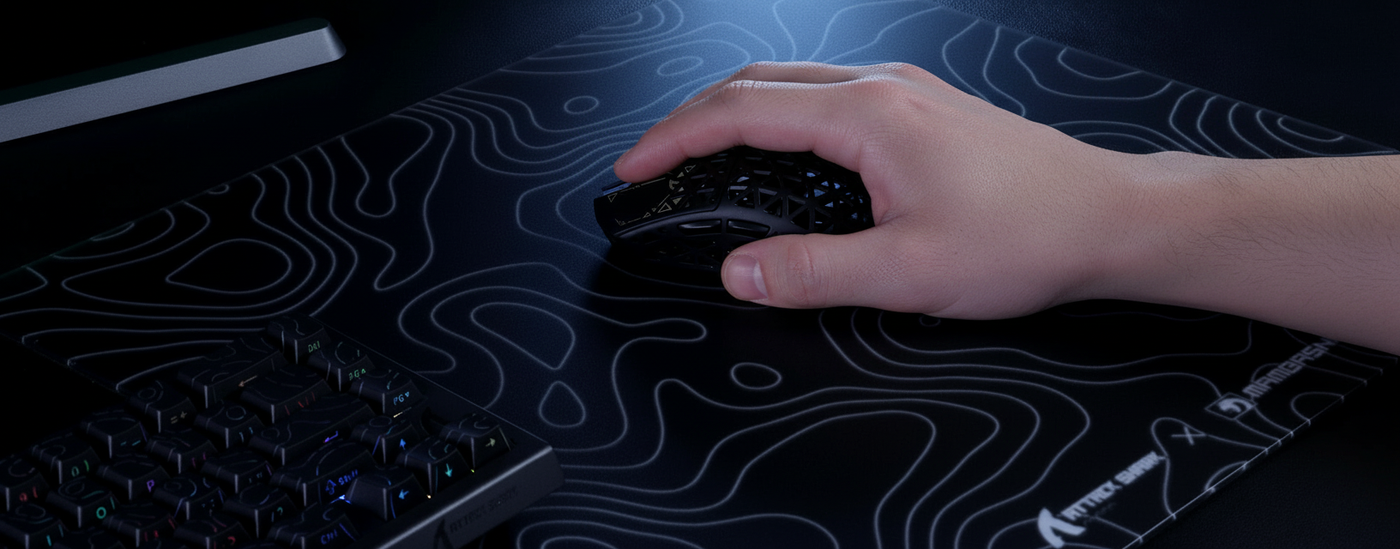
Nuestro análisis de la técnica profesional sugiere que el agarre de garra funciona como un puente mecánico entre la estabilidad de un agarre de palma y la agilidad de un agarre con la punta de los dedos. Al arquear los dedos y contactar la carcasa del ratón solo con las puntas de los dedos y la parte trasera de la palma, se crea un punto de pivote estable.
Resumen Lógico: La eficacia del agarre de garra se modela según el principio de "longitud de palanca". Al acortar la palanca efectiva (los dedos), el usuario aumenta el torque y la precisión disponibles para movimientos pequeños y rápidos.
El Factor de Soporte de la Articulación Metacarpofalángica
Un descubrimiento crítico en la ergonomía de alto rendimiento es el papel de la articulación metacarpofalángica (MCP), los nudillos grandes donde los dedos se unen a la palma. Para que un agarre de garra sea sostenible y efectivo, la joroba del ratón debe proporcionar soporte específico a esta área. Según observaciones de sesiones de entrenamiento de élite, la transición a un agarre de garra suele revelar una mejora del 15–25% en la precisión de microajustes durante las primeras dos semanas, siempre que la geometría de la carcasa esté optimizada.
Si la joroba es demasiado baja o está posicionada demasiado hacia adelante, la articulación MCP carece del soporte necesario, lo que provoca "deslizamiento del agarre" durante el control vertical del retroceso. Las carcasas de alto rendimiento diseñadas para la meta moderna suelen tener una joroba orientada hacia atrás que llena la palma inferior, permitiendo que los dedos mantengan un arco constante sin tensión muscular excesiva.
Métricas de Rendimiento: Precisión y Latencia en la Meta de Garra
La precisión en el gaming moderno se define por más que solo la posición de la mano; es una sinergia entre la biomecánica y el protocolo de hardware subyacente. Cuando analizamos las especificaciones técnicas necesarias para soportar un estilo de garra agresivo, dos factores dominan: la distancia de elevación (LOD) y la tasa de sondeo.
Calibración de la Distancia de Elevación para Flicks Agresivos
Para usuarios agresivos de garra, la estabilidad del cursor durante el "recentrado" rápido es primordial. Un error común es usar un LOD predeterminado demasiado alto, lo que hace que el sensor rastree el movimiento mientras se reposiciona el ratón. Consideramos que un LOD de 1mm es la base para una ventaja competitiva. Esto previene el "temblor" involuntario del cursor durante movimientos rápidos de alta velocidad. Sin embargo, lograr un LOD consistente de 1mm requiere un sensor óptico de alta calidad con calibración avanzada de superficie para asegurar que el rastreo no se interrumpa en texturas variadas de la alfombrilla.
La realidad del sondeo a 8000Hz (8K)
La industria está impulsando actualmente tasas de sondeo de 8000Hz, una especificación que impacta directamente la suavidad de los microajustes del agarre de garra. Para entender el valor, debemos observar el tiempo bruto:
- 1000Hz: intervalo de 1.0ms entre reportes.
- 8000Hz: intervalo de 0.125ms entre reportes.
A 8000Hz, el sistema recibe datos ocho veces más frecuentemente que a la tasa estándar de 1000Hz. Esto reduce el "retardo de entrada" y proporciona una trayectoria más granular para el cursor. Además, la implementación de "Motion Sync" a estas frecuencias se vuelve casi transparente. Mientras que Motion Sync a 1000Hz añade un retraso determinista de aproximadamente 0.5ms (la mitad del intervalo de sondeo), a 8000Hz este retraso baja a ~0.0625ms. Esto es efectivamente insignificante, como se señala en el Whitepaper de la Industria Global de Periféricos para Juegos (2026).
Cuellos de botella del sistema y carga de CPU
Es importante notar que 8000Hz no es una función de "configurar y olvidar". El principal cuello de botella es el procesamiento de la Solicitud de Interrupción (IRQ). Manejar 8,000 paquetes por segundo impone una carga significativa en un solo núcleo de CPU. Según nuestro modelado de escenarios, usar un sondeo de 8K puede reducir la vida útil de la batería inalámbrica en un 75–80% en comparación con 1000Hz y requiere un monitor de alta tasa de refresco (típicamente 240Hz o 360Hz) para manifestar visualmente la trayectoria más suave del cursor.
| Parámetro | Valor | Unidad | Justificación |
|---|---|---|---|
| Intervalo de sondeo (8K) | 0.125 | ms | Frecuencia fundamental (1/8000) |
| Retraso de sincronización de movimiento (8K) | ~0.0625 | ms | Intervalo determinista 0.5x |
| Movimiento mínimo para 8K (800 DPI) | 10 | IPS | Umbral de saturación de ancho de banda |
| Movimiento mínimo para 8K (1600 DPI) | 5 | IPS | Umbral de saturación de ancho de banda |
| Impacto estimado en la batería | -75 a -80 | % | Ciclos de procesamiento MCU incrementados |
Heurísticas ergonómicas para la selección de la carcasa
Elegir un ratón para un agarre de garra requiere ir más allá de las categorías "pequeño, mediano, grande". Debes evaluar el ancho efectivo del agarre y la "relación de ajuste".
La regla del ancho de agarre de 5-7 mm
Una frustración frecuente entre los jugadores es el desarrollo de calambres en el dedo anular o meñique. Esto suele ser el resultado de elegir una carcasa demasiado estrecha para la extensión natural de la mano del usuario. Recomendamos una heurística simple: el ancho del ratón en los puntos principales de agarre (donde descansan el pulgar y el dedo anular) debe estar dentro de 5–7 mm del ancho natural y relajado de tu agarre.
Si el ratón es más estrecho que este rango, la mano debe sobrecomprimir para mantener un agarre seguro, lo que conduce a fatiga rápida. Por el contrario, un ratón demasiado ancho impide la acción de "pinza" necesaria para microajustes finos.
Formas simétricas vs. ergonómicas
Aunque los ratones ergonómicos (asimétricos) suelen promocionarse por su comodidad, el meta competitivo claw favorece fuertemente las formas simétricas (ambidiestras). Las carcasas simétricas proporcionan una plataforma neutral que no obliga a la muñeca a inclinarse en una dirección específica. Esta neutralidad es vital para la puntería "claw pura", donde el usuario depende de los dedos para ajustes verticales. Como destacan las metodologías de prueba estandarizadas de fuentes como RTINGS, las formas simétricas suelen permitir una latencia de clic más consistente en diferentes posiciones de los dedos.
Mitigación de riesgos: Prevención de lesiones por esfuerzo repetitivo
La naturaleza agresiva del agarre claw—caracterizada por arcos de alta tensión y clics rápidos—conlleva riesgos fisiológicos inherentes. A diferencia del agarre relajado con la palma, el claw ejerce estrés sostenido en los tendones de la mano y el antebrazo.
Identificando los "Puntos de fricción"
El uso prolongado y agresivo del claw es un factor de riesgo documentado para lesiones por esfuerzo repetitivo (LER) como la tenosinovitis flexora y la tenosinovitis de De Quervain. Estas condiciones suelen manifestarse como una sensación de ardor en la base del pulgar o una sensación de "clic" en las articulaciones de los dedos.
Nota metodológica: Estas observaciones se derivan de patrones comunes en comentarios de la comunidad e informes de lesiones ergonómicas (no es un estudio médico controlado).
Para mitigar estos riesgos:
- Presión dinámica del agarre: No mantengas un arco estático con alta presión. Los profesionales suelen usar un "claw relajado" para movimientos generales y solo pasan a un "claw agresivo" durante enfrentamientos activos.
- Gestión de la fricción de la superficie: Usar una alfombrilla de ratón de alta calidad con seguimiento consistente en los ejes X e Y puede reducir la fuerza necesaria para mover el ratón. Materiales como fibra de carbono genuina o telas especializadas tratadas térmicamente son a menudo preferidos por su "poder de detención", que evita la necesidad de una tensión excesiva en el agarre para detener un movimiento rápido.
- Optimización del peso: Los ratones Ultra ligeros (normalmente por debajo de 60g) reducen la fuerza inercial necesaria para iniciar y detener el movimiento, disminuyendo significativamente la tensión en los pequeños músculos de la mano.
Transición al Meta Claw
Si actualmente usas agarre de palma o de punta de dedos, la transición a un agarre de garra es un proceso de recalibración de la memoria muscular.
Paso 1: Encuentra tu soporte MCP
Comienza colocando la parte trasera de tu palma contra la joroba trasera del ratón. Asegúrate de que los nudillos grandes estén apoyados. Si sientes un espacio, tu ratón puede ser demasiado corto para el tamaño de tu mano.
Paso 2: Ajuste del arco
Experimenta con la altura de los arcos de tus dedos. Un arco más alto (Garra agresiva) ofrece más rango vertical pero puede ser fatigante. Un arco más bajo (Garra relajada) es mejor para sesiones largas.
Paso 3: Alineación del sensor
Asegúrate de que tu sensor esté centrado respecto a tu agarre. Si notas que tu puntería se desvía consistentemente hacia un lado, verifica si tu agarre ha causado que el ratón se incline.
Paso 4: Verificación técnica
Verifica que tu hardware funcione dentro de sus especificaciones previstas. Para dispositivos inalámbricos, asegúrate de que el receptor esté en un puerto directo de la placa base para evitar la pérdida de paquetes asociada con los concentradores USB, como se especifica en la guía de autorización de equipos FCC para dispositivos de radiofrecuencia.
Resumen
El dominio del agarre de garra en los juegos competitivos modernos es el resultado de un "punto óptimo" biomecánico que equilibra la estabilidad con una agilidad extrema. Al aprovechar la articulación MCP para soporte y utilizar hardware ultra ligero con altas tasas de sondeo, los jugadores pueden alcanzar un nivel de precisión que los agarres tradicionales no pueden igualar. Sin embargo, este rendimiento conlleva la responsabilidad de la conciencia ergonómica. Aplicando heurísticas como la regla de ancho de 5-7 mm y siendo consciente de los riesgos de lesiones por esfuerzo repetitivo, puedes modernizar tu técnica mientras mantienes la salud a largo plazo de tus manos.
Aviso YMYL: Este artículo es solo para fines informativos y no constituye asesoramiento médico profesional. Las recomendaciones ergonómicas proporcionadas se basan en heurísticas generales de la industria y observaciones de jugadores. Si experimenta dolor persistente, entumecimiento u hormigueo en las manos o muñecas, consulte inmediatamente a un profesional de la salud calificado o a un fisioterapeuta. El uso prolongado de estilos de agarre con alta tensión puede agravar condiciones preexistentes.
Referencias
- Documento técnico de la industria global de periféricos para juegos (2026)
- Tablas de uso USB HID (v1.5)
- RTINGS - Metodología de latencia de clic del ratón
- Autorización de Equipos FCC (Búsqueda de ID FCC)
- Documento de orientación sobre baterías de litio de IATA (para contexto de seguridad de baterías)