


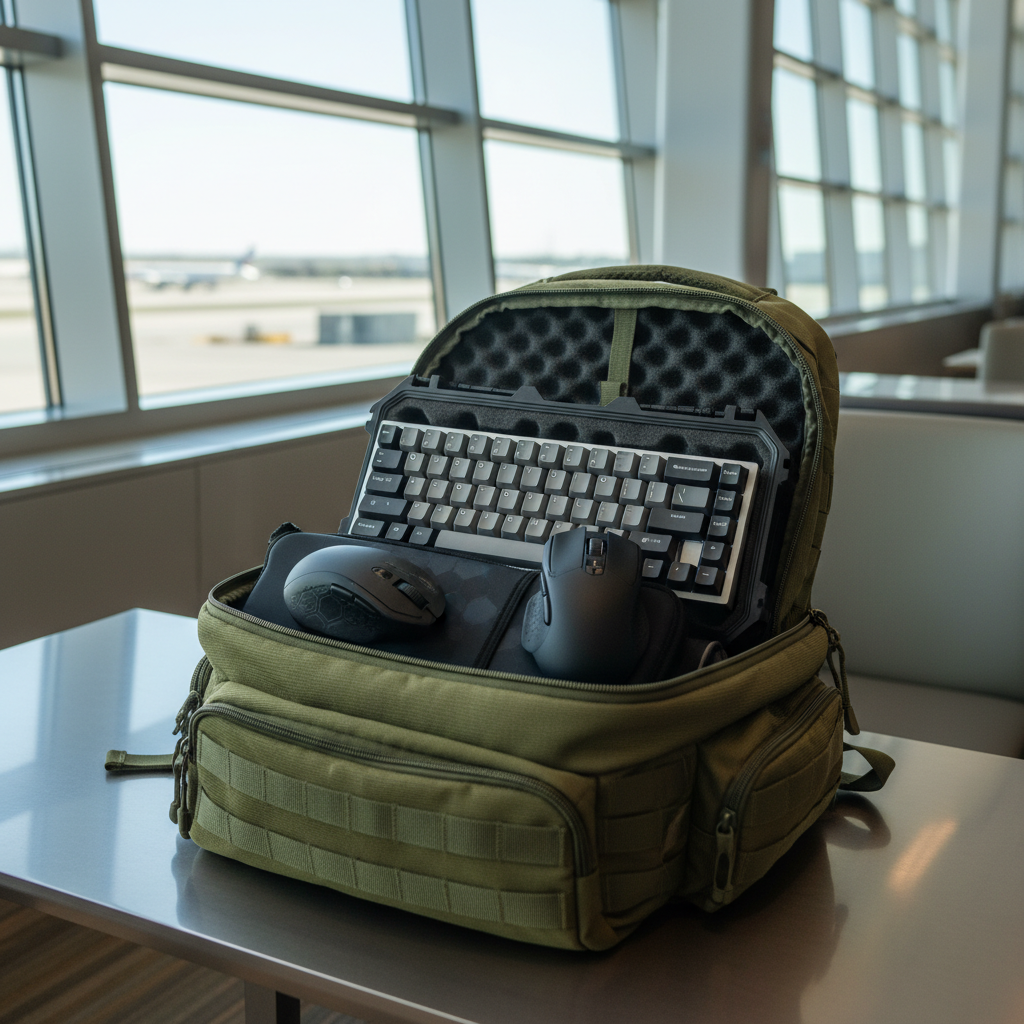
Mobile Battle Stations: Choosing Protection for Traveling Gamers
The rise of the "Mobile Battle Station" has shifted the paradigm of competitive gaming from static bedrooms to hotel desks, airport lounges, and LAN tournament stages. For the value-oriented, tech-savvy gamer, the challenge isn't just achieving peak performance; it's ensuring that a high-specification investment survives the rigors of transit. While a mechanical keyboard or an 8K-polling mouse represents a significant performance-per-dollar win, these peripherals are precision instruments prone to specific mechanical failures when subjected to the chaotic environment of a backpack or carry-on.
In this technical guide, we evaluate the protective mechanisms necessary to safeguard hardware during travel, focusing on the often-overlooked vulnerabilities of switch stems, PCB ports, and lithium-ion battery compliance.
The Mechanical Core: Protecting Keyboard Integrity
In our repair bench observations, the most frequent point of failure for transported keyboards isn't a cracked chassis or a shattered keycap. Instead, we consistently see damaged switch stems caused by lateral pressure. When a keyboard is shoved into a crowded backpack, other items—laptops, power bricks, or water bottles—shift during movement. This creates a "shearing" force against the keycaps, which transfers directly to the delicate plastic stems of the switches.
Hard Cases vs. Soft Sleeves: The 15mm Rule
Choosing between a hard-shell case and a padded sleeve involves a critical trade-off between bulk and structural rigidity. According to research on Hard Case vs Soft Case for Laptops, hard shells provide superior puncture resistance but can sometimes lack the internal dampening required for heavy vibrations.
For mechanical keyboards, we recommend a "Hybrid Protection" approach. A common mistake is selecting a hard case that is slightly too large, allowing the keyboard to slide internally. This movement can be as damaging as external pressure.
Expert Insight (Heuristic): A travel case should provide at least 15mm of compressible foam padding on all sides. This thickness is generally sufficient to absorb the kinetic energy of a drop while providing enough "give" to prevent the case itself from exerting constant downward pressure on the keys.
Experienced modders often go a step further by adding custom-cut EVA foam inserts around the keyboard’s perimeter. This prevents lateral movement entirely. If you use a soft sleeve, ensure it features a reinforced "top plate" to prevent external items from pressing the keys down for the duration of a six-hour flight, which can lead to spring fatigue or firmware "ghost" inputs upon arrival.

Connectivity and Port Integrity: The Torsional Force Problem
The transition to detachable cables has been a boon for portability, but it has introduced a new vulnerability: the female USB port on the keyboard's PCB. In many budget-to-midrange builds, this port is only held by surface-mount solder points. While the cable connector might be rugged, the port itself is the weakest link.
The Magnetic Adapter "Gotcha"
Many traveling gamers use magnetic USB-C adapters to reduce wear and tear on the port. However, we have observed a significant "gotcha": if the magnetic bond is too strong, it can actually transfer torsional force to the PCB during an accidental snag. Instead of the cable detaching cleanly, the adapter acts as a lever, prying the port off the internal board.
Best Practices for Port Longevity:
- Always disconnect the cable before placing the keyboard in its case. Leaving it plugged in during transit creates a permanent lever that can snap the port if the bag is compressed.
- Use Right-Angle Connectors: These reduce the physical profile of the connection, making it less likely to be bumped during a cramped LAN setup.
- Cable Fragmentation: Despite the technical superiority of USB-C, many legacy or budget accessories still rely on Micro-USB. As noted by Tech Review Advisor, this creates a "cable clutter" problem for travelers. We recommend carrying a single high-quality braided USB-C cable with a set of reliable, low-profile adapters rather than multiple cheap cables.

The Wireless Logistics: High-Polling Mice in Transit
For the competitive gamer, performance in the field is dictated by the synergy between polling rates, display resolution, and battery life. However, traveling introduces constraints that don't exist in a home setup.
Modeling "The LAN Traveler" (Scenario Analysis)
To understand the trade-offs, we modeled a specific persona: "The LAN Traveler." This user has large hands (~20.5cm) and uses a 4000Hz (4K) polling rate on a QHD laptop display.
| Parameter | Value | Rationale |
|---|---|---|
| Battery Capacity | 500mAh | Standard high-performance wireless capacity |
| Polling Rate | 4000Hz | Competitive low-latency standard |
| Estimated Runtime | ~21 Hours | Based on Nordic nRF52840 power profiles |
| DPI Minimum | 1300 DPI | Nyquist-Shannon minimum for QHD (2560x1440) |
| Ideal Mouse Length | ~131mm | Ergonomic fit for 20.5cm hand (Claw Grip) |
Modeling Note: This is a scenario model, not a controlled lab study. Runtime estimates assume a 0.8 efficiency factor and account for the ~4x increase in radio duty cycle when moving from 1000Hz to 4000Hz.
The 8K Polling Bottleneck
When pushing to 8000Hz (8K) polling, the technical constraints become even more severe. According to the Global Gaming Peripherals Industry Whitepaper (2026), 8K polling reduces the interval to a mere 0.125ms.
However, this performance comes at a cost:
- CPU/IRQ Load: The bottleneck at 8K is often IRQ (Interrupt Request) processing. On a gaming laptop, which may already be thermally constrained, this extra CPU load can cause frame stutters.
- USB Topology: You must use the direct motherboard ports (usually the rear I/O on a desktop, or specific high-speed ports on a laptop). Never use a travel USB hub for an 8K mouse; shared bandwidth and poor shielding will lead to massive packet loss.
- Battery Drain: Moving from 1000Hz to 8000Hz can cut wireless runtime by approximately 75-80%. For a traveler, this means a mouse that lasts a week at 1K might die in a single day of heavy tournament play.

Compliance and Transport: Navigating Global Regulations
Traveling with high-end gear isn't just about physical protection; it's about regulatory compliance. Lithium-ion batteries are the primary concern for international travel.
FAA and IATA Battery Limits
The Federal Aviation Administration (FAA) and IATA have strict rules for lithium batteries:
- 100Wh Limit: Batteries under 100Wh (Watt-hours) are generally allowed in carry-on luggage without restriction. Most gaming mice (typically ~2Wh) and keyboards (~5-10Wh) are well within this limit.
- Prohibition on Checked Bags: All lithium batteries must be in carry-on luggage. If you check your "battle station" in a hard case, you must remove the peripherals and carry them with you.
International Certifications
If you are buying gear for international travel, look for the following marks on the underside of the device to ensure smooth passage through customs and compliance with local safety standards:
- FCC ID: Required for the United States (FCC Equipment Authorization).
- CE/RED: Essential for the European Union (EU Radio Equipment Directive).
- KC Mark: Required for South Korea (RRA Korea).
Performance in the Field: Network and Thermal Realities
A common misconception is that a high-speed eSIM or roaming plan is sufficient for competitive gaming. However, as noted in our research, competitive gaming requires sub-50ms latency. Most travel data plans suffer from network deprioritization and routing through multiple international carriers, making them unreliable for FPS or MOBA titles.
Traveler's Connectivity Checklist:
- Hardwire Whenever Possible: Even a mediocre hotel Ethernet port is usually superior to 5G for jitter and latency.
- Verify USB Polling Stability: Use tools like the NVIDIA Reflex Analyzer to ensure your laptop's USB bus isn't being throttled by power-saving settings during travel.
- DPI Adjustments: On a QHD display, we calculated a Nyquist-Shannon minimum of 1300 DPI to avoid pixel skipping. If you usually play at 800 DPI, you may need to increase your DPI and lower your in-game sensitivity to maintain precision on high-resolution laptop screens.
Summary Checklist for the Mobile Gamer
Protecting a mobile battle station requires a disciplined approach to both hardware and logistics. By understanding the mechanical vulnerabilities of switch stems and the electrical constraints of high-polling wireless systems, you can ensure your gear performs at its peak, regardless of your location.
- Keyboard: Use a case with 15mm foam; disconnect cables to protect the PCB port.
- Mouse: Set DPI to at least 1300 for QHD screens; monitor battery drain if using >1000Hz polling.
- Cables: Carry a single high-quality braided cable with adapters; avoid high-strength magnetic adapters that can pry ports.
- Compliance: Keep all peripherals in carry-on luggage to comply with FAA lithium rules.
This article is for informational purposes only and does not constitute professional legal or travel advice. Always check with your airline and local regulatory bodies for the most current transport rules.
Sources:

Dejar un comentario
Este sitio está protegido por hCaptcha y se aplican la Política de privacidad de hCaptcha y los Términos del servicio.