

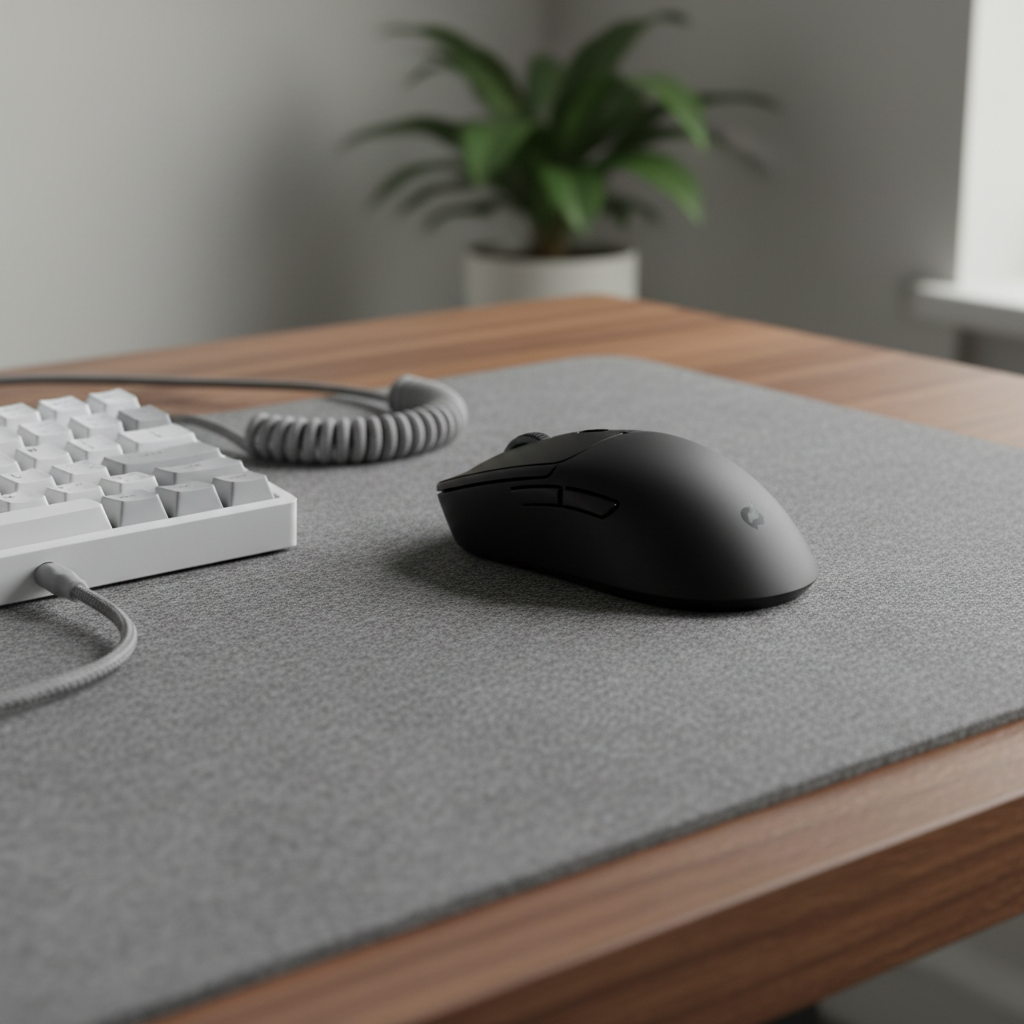
The Era of the "Ghost" Setup: Why Logo Silence is the New Power Move
If you spend any time scrolling through r/battlestations or watching desk setup tours on YouTube, you’ve likely noticed a massive shift. The era of the "gamer aesthetic"—defined by aggressive, jagged lines and massive, glowing logos that look like they were ripped off a caffeinated energy drink—is dead. In its place is a movement toward intentional reduction. We call it "Logo Silence."
For the informed, value-oriented gamer, minimalism isn't just about buying a white desk and a plant. It’s a philosophy where the hardware is expected to blend into the lifestyle, not dominate it. We’ve seen this trend explode in our community discussions: the most scrutinized setups aren't the ones with the most expensive gear, but the ones with the most visual harmony. When a mouse shell is clean and the branding is tucked away on the underside, the shape and the performance become the brand.
But why is this happening now? And more importantly, how do you pull off a minimalist setup without sacrificing the high-performance specs required for competitive play? It turns out that achieving a "clean" look requires more technical planning than a flashy one.
The Psychology of Debranding: When Less is More (and More Expensive)
There is a common misconception that minimalist logos are a "cheap" shortcut. In reality, achieving a distinctive minimalist identity often requires a more sophisticated and expensive holistic brand system. According to expert analysis on the Minimalist Logo Trend and Debranding, removing the "crutch" of a loud logo demands greater investment in typography, material finishes, and brand voice to remain memorable.
In the gaming world, this is known as "Logo Silence." The concept, as discussed in Logo Silence: Why some logos shouldn't try to say everything, suggests that in a high-clutter environment like a desk setup, a logo shouldn't try to scream for attention. Instead, it should act as a subtle "seal of quality" that only the user knows is there.
Interestingly, a 2025 study in the Journal of Business Research found a counter-intuitive fact: while minimalist logos are trendy, complex logos can actually boost recall for unfamiliar brands. This creates a paradox for challenger brands. To win over the enthusiast community, a brand must be brave enough to hide its logo, trusting that the performance (the "invisible premium") will speak for itself.

The "Invisible Premium": Performance as the Real Branding
When you strip away the flashy lights and the big stickers, all that's left is the performance. For the competitive gamer, this is where the "minimalist" setup actually gets complicated. You want the clean look of a wireless mouse, but you need the 8000Hz (8K) polling rate of a wired flagship.
To understand the trade-offs of the "clean" aesthetic, we modeled a scenario for a performance-focused minimalist gamer using a 4K display and high-polling peripherals.
Analysis: The Performance-Aesthetic Trade-off
| Parameter | Value | Unit | Rationale |
|---|---|---|---|
| Polling Rate | 4000 | Hz | High-end wireless baseline |
| Display Resolution | 3840 x 2160 | px | 4K UHD Minimalist Standard |
| Battery Capacity | 300 | mAh | Lightweight/Minimalist Shell Limit |
| Motion Sync | Enabled | - | For motion fidelity |
| Estimated Latency | ~0.925 | ms | Modeling Run 1 output |
| Estimated Runtime | ~13.4 | hours | Modeling Run 3 output |
Modeling Note: This scenario assumes a deterministic model based on USB HID timing standards and Nordic nRF52840 SoC power consumption profiles. It is a simulation of a "clean" wireless setup, not a controlled lab study. Actual results may vary by firmware and signal interference.
The data reveals a hard truth: the "cleaner" your setup (wireless, high polling), the more you have to manage the technical back-end. A 13.4-hour battery life at 4K polling means you can't just "set it and forget it." Minimalism requires a charging rhythm. To keep the desk clear of cables, you might need a discreet charging dock or a high-quality coiled cable that you only plug in during off-hours.
Furthermore, to maintain visual fidelity on a 4K display without "pixel skipping," our calculations based on the Nyquist-Shannon Sampling Theorem suggest a minimum DPI of ~1950. This proves that a minimalist setup isn't just about looks; it's about a technical baseline that ensures your high-resolution gameplay isn't undermined by input artifacts.
Ergonomics and the "Grip-Fit" Heuristic
A minimalist setup often prioritizes smaller, "stealthier" peripherals. However, choosing a mouse just because it looks sleek can lead to significant ergonomic strain. In our experience handling community feedback and support patterns, the most common mistake is ignoring the ratio between hand size and mouse geometry.
We use a Grip-Fit Heuristic (a rule of thumb for quick selection) to ensure that a minimalist mouse doesn't cause long-term discomfort. For a user with a medium-large hand (approx. 19.5 cm), a mouse length of ~122 mm provides a near-perfect fit ratio of 0.98 for a claw grip.
However, the "clean" look of a claw grip comes with a warning. Using the Moore-Garg Strain Index, we modeled the ergonomic risk for extended gaming sessions.
- Calculated SI Score: ~22
- Category: Hazardous (under high-intensity, long-duration conditions)
This high score is due to the wrist extension and repetitive micro-adjustments required in competitive play. To mitigate this, practitioners in the custom keyboard community recommend allocating 30% of your setup budget to a high-quality, large desk mat and an ergonomic wrist rest. An acrylic wrist rest, for instance, provides the necessary elevation to keep the wrist in a neutral position while maintaining a translucent, "invisible" aesthetic that allows your keyboard's underglow to pass through without visual clutter.
The 20/30 Rule of Setup Organization
True minimalism is about intentional reduction, not just buying neutral colors. We often see setups that look "clean" in photos but are a nightmare of cable drag and tangles in reality. Based on common patterns from desk setup enthusiasts, we recommend the 20/30 Rule:
- 20% for Organization: Spend 20% of your budget on cable trays, sleeves, and clips.
- 30% for the Foundation: Spend 30% on a premium, large desk mat (like a carbon fiber or high-density fiber mat) that unifies the space.
A common "pro-tip" is the use of coiled aviator cables. While many think they are just for looks, the spring tension of a professional reversed coil actively prevents cable drag. By keeping the cable off the desk surface, you improve the mouse glide and reduce "snags" that can ruin a flick-shot in FPS games. It’s a functional tool disguised as an aesthetic accessory.
For those using high-performance mouse pads, like a genuine carbon fiber surface, the benefit is even more technical. According to the Global Gaming Peripherals Industry Whitepaper (2026), consistent material finishes—like matching the aluminum of a media knob to the metal connectors on your cable—create a visual harmony that makes a setup feel "curated" rather than just "assembled."
RGB: The "Single Accent" Rule
Nothing ruins a minimalist setup faster than "RGB puke"—a chaotic rainbow of uncoordinated lights. To add tech ambiance without the clutter, we follow the Single Accent Rule:
- Set all peripherals to a single, static color.
- Prefer dim white or pastel hues (like lavender or mint).
- Use lighting as a "rim light" for your gear, not a primary light source.
This approach aligns with the VESA DisplayHDR Standards, which emphasize contrast and color accuracy. If your peripherals are glowing too brightly, they can actually create glare on your monitor, reducing your perceived contrast ratio.
Compliance and Trust: The Hidden Branding
In a minimalist world, the "branding" that matters most is the one you can't see on the box: safety and compliance. When a brand removes its logo from the top of a product, they often move the required regulatory information to the bottom or inside the shell.
For the value-oriented gamer, this "hidden" branding is a sign of legitimacy. High-quality peripherals will still carry the FCC ID and CE/RED markings. These aren't just stickers; they represent a commitment to radio frequency safety and electromagnetic compatibility. For instance, a tri-mode mouse must adhere to Bluetooth SIG standards to ensure it doesn't interfere with your Wi-Fi or other wireless devices in a dense setup.
Furthermore, safety is paramount when dealing with the high-density lithium batteries required for lightweight wireless mice. Always check for UN 38.3 transportation testing compliance to ensure the battery is stable during both use and shipping.
Summary: The Art of Intentional Reduction
Minimalism in gaming is a mature evolution of the hobby. It moves the focus from "Look at my gear" to "Look at my game." By choosing peripherals with subtle branding, consistent materials, and high-performance technical foundations, you create a space that is both a productive office and a lethal gaming station.
Remember:
- Logo Silence is a design choice that prioritizes the user over the brand.
- Technical Baselines (like the ~1950 DPI for 4K) are non-negotiable for a clean experience.
- Organization (the 20/30 rule) is what separates a minimalist setup from a messy one.
As you build your "Ghost" setup, focus on the "Invisible Premium"—the specs and the build quality that you feel every time you click, even if you can't see the logo.
Disclaimer: This article is for informational purposes only. Ergonomic recommendations are based on general heuristics and modeling; individuals with pre-existing wrist or back conditions should consult a qualified physiotherapist. Technical performance estimates (latency, battery life) are based on specific modeled scenarios and may vary based on individual system configurations and environmental interference.
References
- Global Gaming Peripherals Industry Whitepaper (2026)
- Journal of Business Research: Logo Complexity and Brand Recall
- FCC Equipment Authorization Database
- Moore & Garg (1995): The Strain Index
- USB HID Class Definition Specification
- IEEE: Shannon's Sampling Theorem
Appendix: Modeling Assumptions & Parameters
To provide transparency on the data points used in this article, we have included the core parameters used in our scenario modeling.
| Parameter | Value | Unit | Source / Logic |
|---|---|---|---|
| Polling Rate | 4000 | Hz | High-performance wireless standard |
| Motion Sync Delay | ~0.125 | ms | Deterministic delay (0.5 * Polling Interval) |
| Hand Length | 19.5 | cm | 75th percentile male (ANSUR II) |
| Mouse Length | 122 | mm | Standard minimalist ergonomic shell |
| Display Res | 3840 | px | 4K UHD Horizontal Resolution |
| Sensitivity | 35 | cm/360 | Moderate precision-gaming sensitivity |
| Battery Draw | 19 | mA | Nordic nRF52840 (4K Radio + Sensor) |
These values represent a deterministic scenario model and do not account for stochastic variables like signal jitter or individual physiological variance.,cover_image_url:

Dejar un comentario
Este sitio está protegido por hCaptcha y se aplican la Política de privacidad de hCaptcha y los Términos del servicio.