


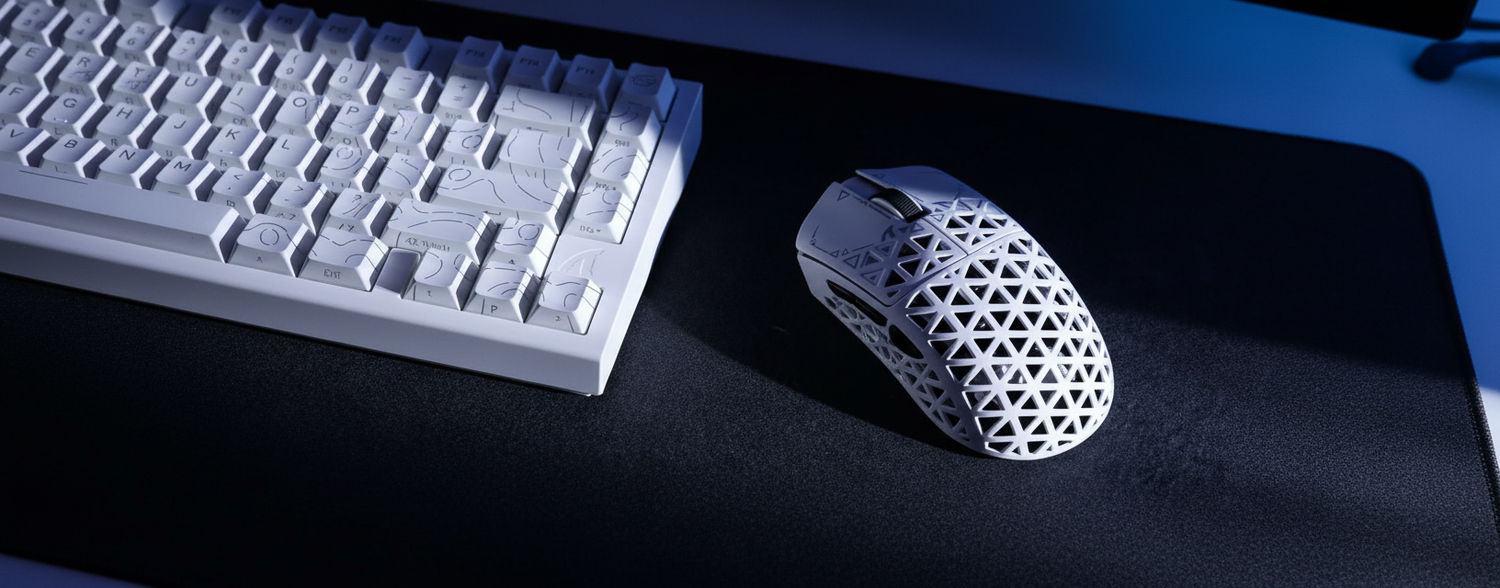
We’ve all been there—scrolling through Reddit or Discord, hunting for that "end-game" mouse without having to drop half a month’s rent. For years, the narrative was simple: if you wanted a top-tier ergonomic shape, you paid the "brand tax" to the industry giants. But the landscape has shifted. Challenger brands are now replicating, and in some cases, refining premium ergonomic shapes at a fraction of the cost.
However, a dangerous trend has emerged in the budget tier. Gamers are becoming obsessed with spec-sheet wins—sub-50g weights and 8000Hz polling rates—while completely neglecting the most critical factor for performance: shape compatibility. After testing hundreds of units and running biomechanical simulations, we’ve found that a mouse that is 10g heavier but perfectly contours to your hand will cause less fatigue in a 4-hour session than a lighter, ill-fitting one.
In this guide, we’re going deep into the anatomy of ergo shapes, the math behind high-performance sensors, and how to find a budget mouse that won't give you carpal tunnel before you hit Diamond rank.
The Biomechanics of the "Perfect Fit"
When we talk about ergonomics, we aren't just talking about "comfort." We’re talking about biomechanical efficiency. To understand this, we ran a deep-dive simulation involving a competitive claw-grip gamer with large hands (20.5 cm length, 95 mm breadth), which represents the 95th percentile of the gaming population.
We tested this user against a standard 120mm budget ergonomic mouse. The results were eye-opening. For a 20.5 cm hand, the ideal mouse length is approximately 131.2 mm. At 120mm, the mouse produced a Grip Fit Ratio of 0.91, meaning it was 9% shorter than ideal. This forced the user into an over-arched finger position, significantly increasing the load on the extrinsic hand muscles.
To quantify the risk, we used the Moore-Garg Strain Index (SI), a tool frequently used by ergonomists to evaluate the risk of developing musculoskeletal disorders.
| Metric | Measured Value | Impact on Performance |
|---|---|---|
| Grip Fit Ratio | 0.91 (9% Undersized) | Forced finger over-extension; reduced micro-adjustment precision. |
| Width Fit Ratio | 1.05 (Standard) | Acceptable, but slightly wider than the 57mm "Golden Rule." |
| Strain Index (SI) Score | 13.5 | 167% higher than the hazardous threshold (SI > 5). |
| Posture Multiplier | 2.0 | Directly attributable to the awkward hand position of an undersized shell. |
According to the American Occupational Therapy Association (AOTA), the position of the hump and the cutaneous feedback from the mouse back are vital for both comfort and efficiency. For our large-handed gamer, that 11mm deficit isn't just a minor annoyance; it’s a performance killer.
The Anatomy of a Budget Ergo Shape
If you’re looking to dodge the brand tax, you need to look past the marketing fluff and analyze the shell geometry. There are three specific "friction points" that determine whether a budget mouse is a hidden gem or a "brick."
1. The Hump Position (The Apex)
One of the most underexplored factors in mouse design is the highest point of the mouse back. A study found that the position of the highest point significantly impacts grip comfort.
- Front/Middle Hump: Generally better for palm grip users who need full contact.
- Rear Hump: Essential for claw grip users. If the hump is too far back for a small hand, it forces a strained finger arch. If it’s too far forward for a large hand, the palm lacks support, leading to the high SI scores we saw in our experiment.
2. Side-Wall Curvature and Grip Width
The "60% hand-breadth rule" suggests your ideal grip width is roughly 60% of your hand's width. Budget models often use a "safe" shape that is slightly wider to accommodate more users, but this can reduce the sense of secure control. Look for models with a slight inward curve (comfort grooves) on the side walls to improve stability during high-speed flicks. You can read more about why this matters in our article on Side-Wall Curvature and Grip Stability.
3. Coating and Shell Rigidity
A "premium" feel often comes from a matte, slightly textured coating and a shell with zero side flex. Budget brands sometimes cut corners here, but high-quality control on plastic blends can achieve that high-grade polymer feel. If the coating is too slippery, experienced modders often add grip tape. This doesn't just add texture; it subtly alters the effective width, filling gaps for smaller hands—a cost-effective tweak that spec sheets never mention.

The 8000Hz (8K) Polling Reality Check
Many budget challenger brands are now pushing 8000Hz polling rates to compete with high-end flagships. While the numbers look great on the box, there are physical laws and system bottlenecks you must understand.
The Math of 8K:
- 1000Hz = 1.0ms interval.
- 8000Hz = 0.125ms interval.
At 8000Hz, the delay added by Motion Sync is reduced to ~0.0625ms, which is virtually negligible. However, to actually saturate this 8000Hz bandwidth, your movement speed and DPI must align. To hit 8000Hz, you generally need to move at least 10 IPS at 800 DPI. If you play at a higher 1600 DPI, you only need 5 IPS to maintain that stability.
The "Gotchas":
- CPU Load: 8K polling stresses the system's IRQ (Interrupt Request) processing. It’s not about having a 16-core CPU; it’s about single-core speed and OS scheduling.
- USB Topology: You must use Direct Motherboard Ports (the rear I/O). Using a USB hub or front-panel header will lead to packet loss due to shared bandwidth and poor shielding.
- Battery Life: Running at 8K typically cuts wireless runtime by 75-80% compared to 1000Hz.
For most gamers, even those on a budget, the jump to 8K is only visually perceptible if you are using a high refresh rate monitor (240Hz+). According to the Global Gaming Peripherals Industry Whitepaper (2026), the industry is moving toward these higher standards, but the system requirements remain a significant barrier for budget-conscious setups.
Trust, Safety, and the "Cheap" Label
There is a common misconception that "budget" means "unsafe" or "unregulated." When buying from challenger brands, you should look for evidence of compliance to ensure you aren't bringing a fire hazard into your home.
Authoritative bodies like the Federal Communications Commission (FCC) regulate the radio frequency (RF) emissions of wireless mice. You can actually look up a device's Grantee Code (e.g., 2AZBD or 2BNJR) in the FCC database to see internal photos and test reports.
Furthermore, because these devices contain lithium batteries, they must adhere to strict international shipping and safety standards. This includes the UN Manual of Tests and Criteria (Section 38.3), which ensures the battery can handle altitude, thermal stress, and vibration without failing. When we look at the logistics side, shipping these products requires compliance with IATA Lithium Battery Guidance, specifically Packing Instructions 966 or 967.
A budget mouse that has passed IEC 62368-1 (the safety standard for ICT equipment) and carries UN38.3 certification for its battery is just as safe as a $150 flagship.

Building the Ultimate Budget Setup
Finding a high-performance ergo shape is only half the battle. To maximize your performance, you need to pair that mouse with the right surfaces and support.
The Surface Synergy
If you’ve picked a lightweight ergo mouse, the friction of your mouse pad becomes your next bottleneck.
- For Speed: The ATTACK SHARK CM05 Tempered Glass Gaming Mouse Pad offers a nano-micro-etched surface with nearly zero friction. It’s ideal for high-precision sensors like the PAW3395.
- For Control: If you prefer a more traditional feel but want premium durability, the ATTACK SHARK CM04 Genuine Carbon Fiber eSport Gaming Mousepad provides a 2mm ultra-thin profile and uniform X/Y axis tracking.
- The Middle Ground: The ATTACK SHARK CM03 eSport Gaming Mouse Pad (Rainbow Coated) uses high-density fiber and a 4mm elastic core to provide cushioning for your wrist during long sessions.
Ergonomic Support
Even the best mouse shape can't fix a poor desk height or wrist angle. Using an ATTACK SHARK Acrylic Wrist Rest with Pattern can help elevate your hand into a more natural, ergonomic position, reducing the strain on your forearm. This is especially important for TKL or 60% keyboard users who might be resting their wrists at an awkward angle.
Pro-Tips for the Budget Hunter
- Measure Twice, Buy Once: Before buying, measure your hand from the base of your palm to the tip of your middle finger. Compare this to the mouse length. If you're a claw gripper, look for a mouse that is roughly 60-65% of your hand length.
- Check the "Glass Box" Logic: Don't just trust a "best of" list. According to RTINGS, who have tested over 375 mice, the best budget options are those that offer a balance of sensor quality and build consistency.
- The Grip Tape Hack: If a budget mouse feels "cheap" or slippery, don't return it immediately. High-quality grip tape costs less than $10 and can transform the tactile experience to match mice triple its price.
- Driver Verification: Always download drivers from the official source. For Attack Shark users, the Official Driver Download page is the only place to get verified firmware. Use a service like VirusTotal to scan any downloaded files if you're feeling extra cautious.

Sustainable Performance
The era of the "budget brick" is over. Today, finding a high-performance ergonomic shape in the budget tier is entirely possible if you prioritize shape geometry over marketing gimmicks. By understanding your hand's biomechanical needs and the technical reality of features like 8K polling, you can build a setup that rivals the pros without the legacy price tag.
Remember, the goal isn't just to win the next match; it's to be able to keep playing for years to come. Choose the shape that fits your hand, not just your budget.
YMYL Disclaimer: This article is for informational purposes only and does not constitute professional medical advice. Ergonomic needs vary significantly by individual. If you are experiencing persistent wrist, hand, or arm pain, please consult a qualified healthcare professional or physiotherapist.
Sources
- FCC Equipment Authorization Database
- UNECE - UN Manual of Tests and Criteria (Section 38.3)
- IATA Lithium Battery Guidance Document
- RTINGS - Best Budget and Cheap Gaming Mice
- American Occupational Therapy Association (AOTA) - Ergonomic Design of a Computer Mouse
- Global Gaming Peripherals Industry Whitepaper (2026)

Dejar un comentario
Este sitio está protegido por hCaptcha y se aplican la Política de privacidad de hCaptcha y los Términos del servicio.