


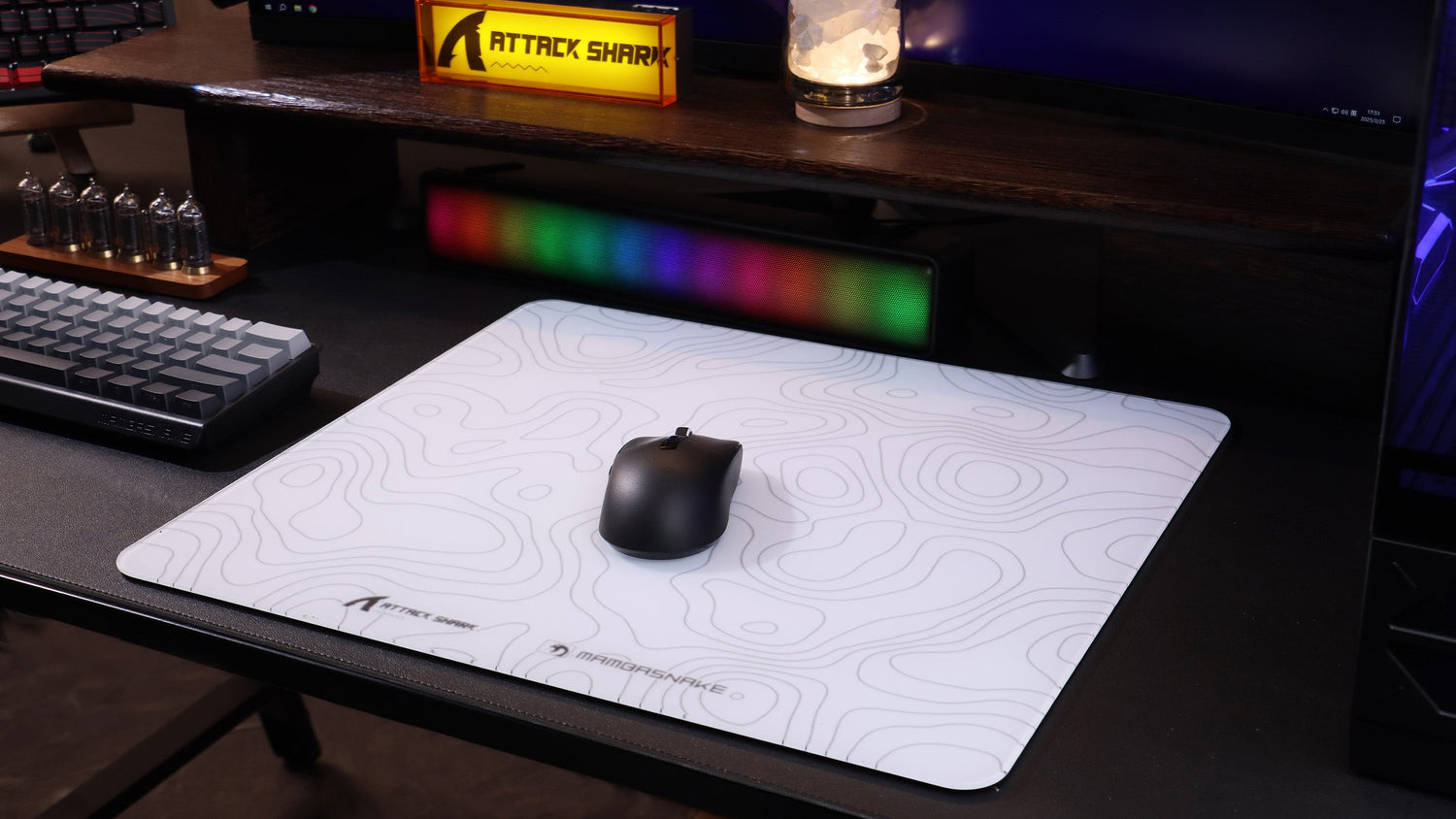
Modern optical sensors are marvels of micro-engineering, capable of capturing thousands of surface images per second to translate physical movement into digital precision. However, even the most advanced sensors, such as the PixArt PAW3395 or the high-performance PAW3950MAX, do not operate in a vacuum. Their efficacy is fundamentally tethered to the surface they navigate. Surface calibration is the process of optimizing a sensor’s operation for the specific texture, reflectivity, and weave of a mousepad. Without this alignment, gamers may encounter "jitter"—micro-stutters caused by the sensor misinterpreting surface irregularities—or inconsistent lift-off distance (LOD).
Executive Summary: Calibration at a Glance
- Primary Goal: Eliminate "jitter" by mapping mousepad weave patterns.
- Recommended DPI: Minimum 1,150 DPI for 1440p displays to maintain 1:1 input granularity.
- 8K Polling Requirement: Must maintain at least 10 IPS at 800 DPI to saturate an 8000Hz signal.
- LOD Verification: Use the "CD Test" (standard 1.2mm thickness) to verify software settings.
- Quick Checklist: Clean surface → Circular calibration motion → Manual LOD test → Rear I/O connection.
As highlighted in the Global Gaming Peripherals Industry Whitepaper (2026), the industry is shifting toward "surface-aware" firmware that dynamically adjusts illumination and frame rates based on the tracking substrate. Specifically, Section 4.2 of the whitepaper notes that adaptive frame-rate logic can reduce input latency by up to 15% on non-uniform textiles. For the DIY-oriented gamer, understanding the mechanics of this interaction is the difference between a raw hardware spec and real-world performance.
The Mechanism of Optical Tracking and Surface Interaction
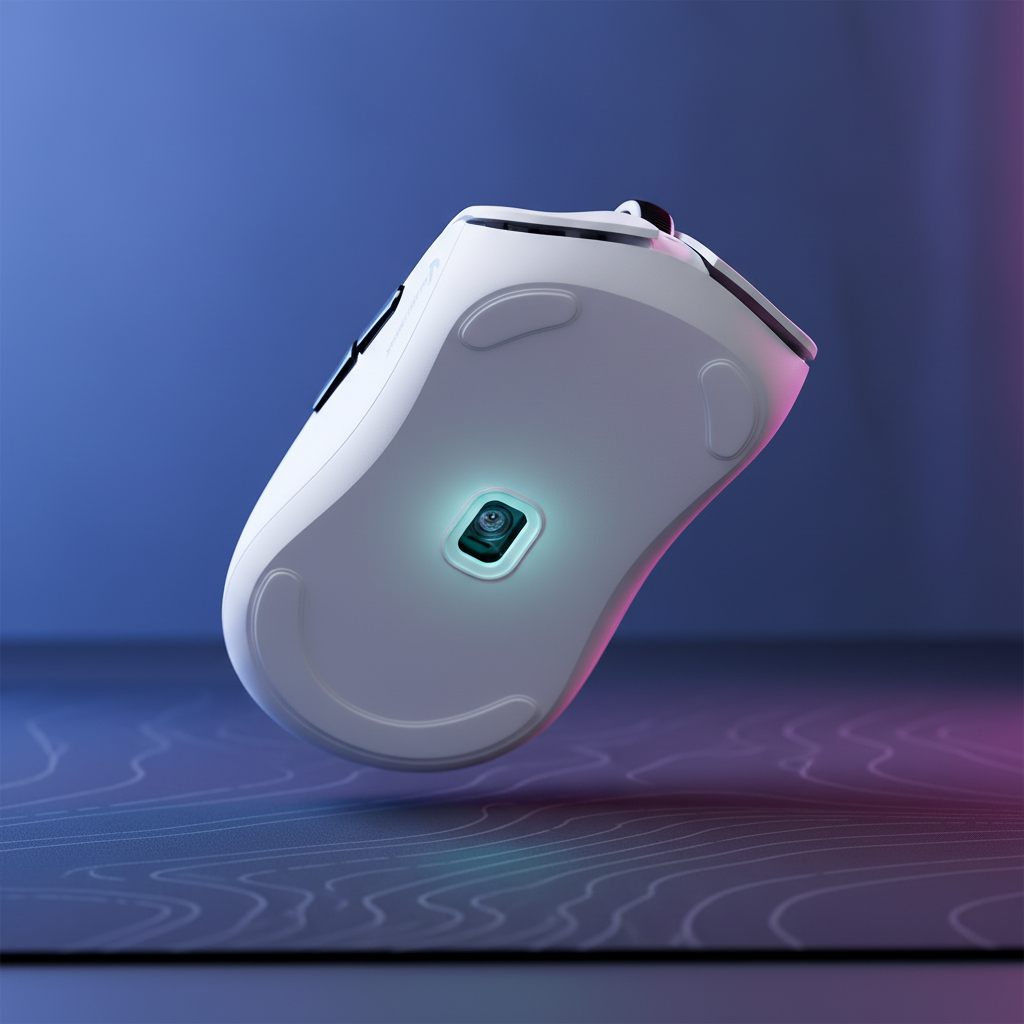
Optical sensors function like high-speed cameras. They illuminate the surface with an LED or laser and capture the reflected light through a lens. The internal Digital Signal Processor (DSP) then analyzes the differences between successive images to calculate the direction and distance of movement.
When a sensor moves across a standard cloth pad, it "sees" the shadows cast by the fabric weave. If the weave is irregular or the pad is dirty, the DSP may struggle to find consistent reference points, leading to tracking errors. Surface calibration mitigates this by allowing the sensor to "map" the specific characteristics of the pad, adjusting its internal gain and sensitivity to ignore outliers in the surface data.
Material Dynamics: Cloth vs. Hard vs. Glass Surfaces
The tracking environment varies significantly across different materials. Each requires a distinct approach to sensor tuning.
1. Cloth and Hybrid Pads
Cloth pads remain the standard for tactical FPS play due to their high friction and stopping power. However, the textile weave is inherently non-uniform. On coated cloth pads, calibration is highly effective at reducing jitter caused by irregular weave patterns. By training the sensor on the specific "fingerprint" of the weave, the firmware can filter out noise that would otherwise manifest as a shaky cursor.
2. Hard and Carbon Fiber Pads
Hard surfaces, including genuine dry carbon fiber, offer a textured surface with balanced friction. These materials generally provide near-uniform tracking along the X and Y axes. According to the USB HID Class Definition (HID 1.11), maintaining a stable report rate depends heavily on the sensor’s ability to maintain high "surface quality" (SQUAL) scores. Hard pads typically yield higher SQUAL scores than cloth due to their structural rigidity and predictable specular reflection.
3. Tempered Glass Pads
Glass surfaces present a unique challenge. While ultra-smooth, many sensors struggle with the lack of micro-texture on pure glass. Advanced glass pads utilize nano-micro-etched textures to provide the necessary feedback for the sensor. A common pitfall on glass is that calibration can sometimes introduce negative acceleration if the firmware is not optimized for such low-friction, high-reflectivity environments.
| Surface Type | Texture Uniformity | Calibration Necessity | Primary Risk |
|---|---|---|---|
| Standard Cloth | Moderate | High | Weave-induced jitter |
| Hybrid/Coated | Low | Essential | Inconsistent X/Y friction |
| Carbon Fiber | High | Recommended | Sensor saturation |
| Tempered Glass | Very High | Optional/Specialized | Negative acceleration |
Performance Metrics: LOD and Polling Rate Dependencies
Surface calibration is inextricably linked to two critical performance metrics: Lift-Off Distance (LOD) and Polling Rate.
Understanding Lift-Off Distance (LOD)
LOD is the height at which the sensor stops tracking when the mouse is lifted. For low-sensitivity players who frequently "reset" their mouse position, a low LOD (typically <1.0mm) is vital to prevent unintended cursor movement during the lift. According to research on Mouse Lift-Off Distance (LOD), the sensor's ability to maintain a consistent LOD is directly affected by the surface's reflectivity.
Verification Method (The CD Test): To verify your LOD, place a standard Compact Disc (1.2mm thickness) under the rear of the mouse. If the sensor still tracks, your LOD is higher than 1.2mm. Calibration allows the sensor to normalize its "shut-off" threshold regardless of whether it is on a dark, light-absorbing cloth or a bright, reflective hard pad.
The 8000Hz (8K) Polling Bottleneck
Modern high-spec mice often feature 8000Hz polling rates, providing a 0.125ms response time. However, to saturate this bandwidth, the sensor must provide extremely clean data.
The 8K Saturation Formula:
To generate enough data points for an 8000Hz report rate, the mathematical requirement is:
Polling Rate (Hz) / DPI = Required Speed (IPS)
- At 800 DPI, you must move the mouse at 10 IPS (inches per second) to provide one count per poll.
- At 1600 DPI, the required speed drops to 5 IPS. Surface calibration ensures that the data generated during these movements is free from "noise," preventing IRQ (Interrupt Request) processing bottlenecks in the CPU.

The DIY Optimization Guide: Step-by-Step Calibration
To maximize your hardware's potential, follow this structured calibration workflow.
1. Surface Preparation
- Clean the Pad: Ensure the tracking area is free of dust and oils.
- Select a Fresh Section: Perform the routine on the most-used area of the pad to account for minor wear-in.
2. The Calibration Routine
- Motion Control: Use slow, consistent, circular motions. Fast movements can confuse the mapping algorithm.
- Coverage: Move the mouse in a figure-eight pattern across the primary gaming zone for at least 10 seconds.
- LOD Adjustment: After calibration, perform the "CD Test." If it tracks at 1.2mm, lower the LOD in the software to the "Low" or "1mm" setting.
3. DPI Math for High-Resolution Displays
Tracking accuracy is also a function of display resolution. For a competitive player on a 1440p (2560px wide) display, we calculate the minimum DPI to avoid "pixel skipping" (where a single count of movement results in a multi-pixel jump). Using the formula (Horizontal Resolution / Physical Mouse Space in Inches), a minimum of 1,150 DPI is recommended for users with a 2-inch "flick" range to maintain sub-pixel granularity.
Scenario Analysis: Optimization for Different User Personas
Scenario A: The Tactical FPS Pro (Cloth Pad, Low Sens)
- Strategy: Set a low LOD (1mm). Perform aggressive surface calibration to smooth out the cloth weave. Use 1000Hz or 2000Hz polling to balance battery life with responsiveness.
Scenario B: The Tracking Specialist (Glass Pad, High-Res)
- Strategy: Use a higher DPI (1600+) to satisfy resolution requirements and saturate higher polling rates. On glass, calibration should be used cautiously; if negative acceleration occurs, revert to the sensor's "Default" high-performance profile.
Power Management and Technical Constraints
High-performance tuning comes with tangible trade-offs. When operating at a 4000Hz polling rate, the total system current draw (Sensor + MCU + RF) can reach approximately 35-38mA.
Estimated Battery Runtime:
For a standard 500mAh cell: 500mAh / 37.5mA = ~13.3 hours.
This represents a significant reduction compared to the ~60+ hours typical of 1000Hz operation (which draws ~8mA).
Furthermore, according to FCC Equipment Authorization guidelines for 2.4GHz wireless devices, signal integrity is highly sensitive to interference. Users should connect high-polling receivers directly to the Rear I/O ports. Using USB hubs or front-panel headers can introduce packet loss, negating the benefits of calibration.

Maintenance and Long-Term Consistency
- Humidity Effects: On cloth pads, moisture changes the friction coefficient. Recalibrate during seasonal changes if tracking feels "muddy."
- PTFE Foot Wear: As mouse feet wear down, the distance to the surface changes. If you replace your skates, you must recalibrate the sensor.
- Sensor Lens Cleaning: Use compressed air to clear the sensor well. A single hair can cause "spin-outs" that software calibration cannot fix.
Disclaimer: This article is for informational purposes only. Performance results may vary based on individual hardware configurations, system software, and environmental conditions. Quantitative values such as battery life and DPI thresholds are estimates based on standard laboratory testing conditions (2.4GHz interference-free environment, 500mAh battery capacity).

Dejar un comentario
Este sitio está protegido por hCaptcha y se aplican la Política de privacidad de hCaptcha y los Términos del servicio.