


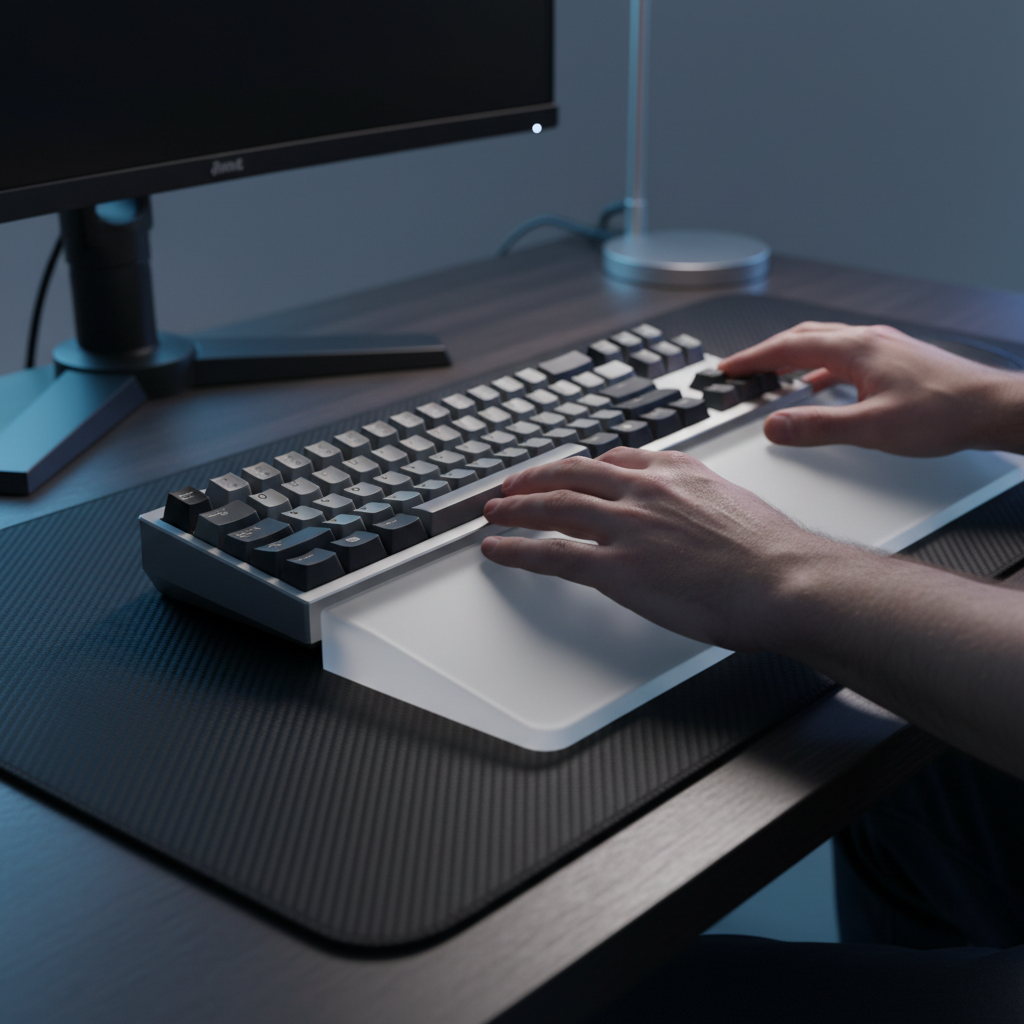
The Engineering of Ergonomic Alignment: Optimizing Keyboard Inclination for Professional Performance
In the high-stakes environment of competitive gaming and sustained professional typing, the physical interface between the user and the machine dictates the ceiling of both performance and health. While mechanical switch specifications often dominate the technical conversation, the structural alignment of the keyboard chassis is a critical engineering variable. Improper keyboard geometry is a significant factor contributing to ulnar deviation, carpal tunnel pressure, and repetitive strain injuries (RSI).
Quick Ergonomic Checklist: Immediate Adjustments
If you are looking for a fast setup "audit," our workshop observations and community feedback suggest these starting points:
- Target Tilt: Aim for a -6° to -8° negative tilt (front higher than back) to keep wrists in a neutral, flat position.
- Support Firmness: Prioritize wrist rests with a Shore A 50+ rating (Manufacturer heuristic for firm, non-bottoming support).
- DIY Modding: Use 0.5mm - 1.5mm nylon spacers for incremental internal angle adjustments.
- Placement: Ensure the wrist rest supports the palm heel, not the carpal tunnel itself.

Biomechanical Fundamentals of Wrist Posture
The human wrist is most resilient when maintained in a "neutral" position, where the hand is aligned with the forearm without vertical extension or horizontal deviation. However, the standard design of most mechanical keyboards—which often features a positive tilt—forces the wrist into extension.
According to a Biomechanical Analysis of Posture and Effort (MDPI), there is a notable lack of research evaluating posture in work-at-home scenarios compared to traditional offices. This suggests that users must take a proactive, evidence-based approach to their own setups.
The Risks of Ulnar Deviation and Extension
When a keyboard is too wide or poorly angled, users often compensate by angling their hands outward toward the pinky finger (ulnar deviation). Combined with wrist extension, this creates significant pressure on the median nerve.
- Wrist Extension: Typically caused by high-profile keyboard cases and positive tilt feet.
- Ulnar Deviation: Often a result of full-sized keyboards forcing a wide arm stance.
- Carpal Tunnel Pressure: Sustained pressure on the carpal tunnel can lead to numbness and decreased grip strength, as detailed by the National Institute of Arthritis and Musculoskeletal and Skin Diseases (NIAMS).
Logic Summary: Our analysis utilizes a "Neutral Alignment Model"—a practical heuristic where the objective is to minimize the angular displacement of the wrist joint from its resting state to reduce tendon friction.
The Case for Negative Tilt and Neutral Inclination
Conventional wisdom suggests using the pop-out feet on the bottom of a keyboard to "see the keys better." From an ergonomic standpoint, this is often counterproductive. A positive tilt increases the angle of wrist extension required to reach the top rows.
Implementing a 6-8 Degree Negative Tilt
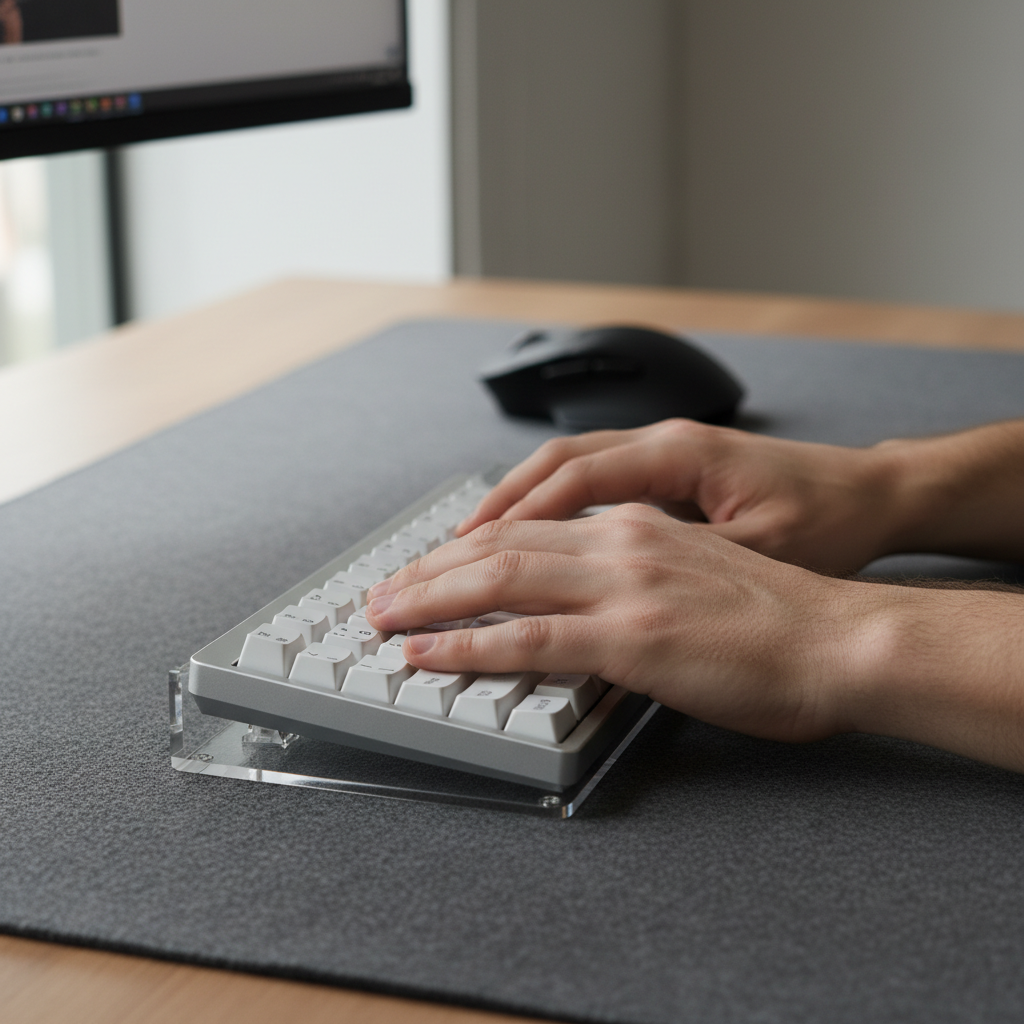
In professional circles, a negative tilt—where the spacebar edge is higher than the top row—is frequently cited as a more effective configuration for achieving neutral posture. By angling the keyboard away from the user, the wrists can remain flat, which aligns with the natural slope of the arms when seated.
Many power users find that combining a 6-8 degree negative tilt (a community-recommended range for neutral alignment) with a low-profile wrist rest eliminates the "kink" in the wrist. This setup typically requires an adjustable keyboard tray or custom risers for the front of the keyboard.
Desk Mat Texture and Stability
When implementing high-tilt setups, the stability of the keyboard becomes a mechanical challenge. Smooth, hard pads can cause the keyboard to slide during aggressive sessions. For these configurations, a desk mat with a textured, non-slip surface is critical.
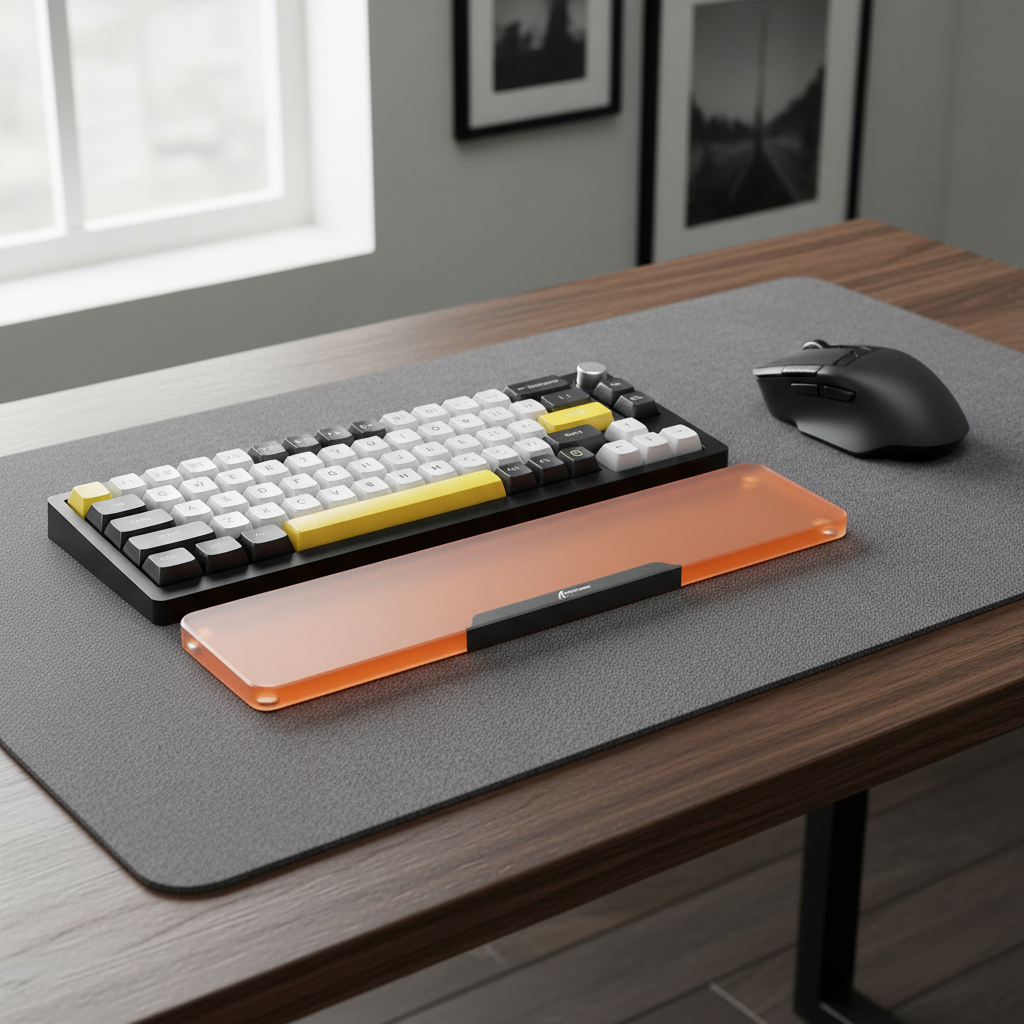
The ATTACK SHARK CM04 Genuine Carbon Fiber Mousepad (Manufacturer Data) provides a high-friction, stable base that prevents chassis migration. Its 2mm ultra-thin design ensures that it does not add unnecessary height to the setup.
| Tilt Type | Angle Range | Biomechanical Impact | Recommended Accessory |
|---|---|---|---|
| Positive | 4° to 12° | Increases wrist extension; higher risk of strain. | High-profile wrist rest (corrective). |
| Neutral | 0° | Standard baseline; requires low-profile case. | Slim desk mat. |
| Negative | -6° to -8° | Promotes flat wrist alignment; reduces nerve pressure. | Front-edge risers + textured mat. |
Material Science: Shore A Hardness and Support Efficacy
A common mistake in ergonomic customization is selecting a wrist rest based solely on "softness." In mechanical engineering, the Shore A scale is used to measure the hardness of elastomers.
The Shore A Scale for Ergonomics
- Shore A 20-30: Very soft; provides immediate comfort but may "bottom out," creating pressure points.
- Shore A 50+: Firm; provides consistent support and maintains the required height to align with the keyboard's front edge (Heuristic for long-term structural support).
For users of high-profile mechanical keyboards, a firm support is often superior. The ATTACK SHARK CNC ACRYLIC WRIST REST (Manufacturer Data) offers a stable, inclined design that does not compress over time. Unlike foam rests, a solid-surface rest ensures the hand remains at the precisely calculated height needed to clear the case edge.

Avoiding Carpal Tunnel Pressure Points
While a wrist rest is intended to support the palm (the "heel" of the hand), many users incorrectly place their actual wrists on the rest. This creates direct pressure on the carpal tunnel. An effective support should elevate the hand so the wrist "floats" in a neutral position.
The ATTACK SHARK Black Acrylic Wrist Rest (Manufacturer Data) is engineered with rounded edges to prevent the "shelf effect," where a sharp edge cuts into the skin, potentially restricting blood flow during long sessions.
Structural Customization: Modding for Custom Angles
For the enthusiast, built-in feet are often insufficient for achieving the specific 1-degree increments required for a perfect fit. Modding the keyboard chassis allows for a bridge between mechanical engineering and personalized health.
Nylon Washers vs. Metal Spacers
When adjusting the internal tilt of a tray-mount keyboard by modding case screws, the choice of hardware affects both ergonomics and acoustics. Using nylon washers as spacers provides a dampened, consistent support.
Workshop Modeling Note (Recommended Parameters):
Parameter Value Unit Rationale Washer Material Nylon 6/6 - Vibration dampening (Shore D 80). Spacer Thickness 0.5 - 1.5 mm Incremental angle adjustment (Practical range). Screw Torque 0.4 - 0.6 Nm Suggested range to prevent PCB warping. Case Type Tray Mount - Standard for internal angle modding.
Leveling and Wobble Troubleshooting
A keyboard that is not perfectly level causes "micro-wobble," which forces the user's stabilizing muscles in the hand and forearm to work harder. This subtle fatigue accumulates over hours. When sourcing spare parts, ensure that silicone or high-friction rubber feet are used to compensate for any slight irregularities in the desk surface.
The Performance-Health Nexus: Actuation Perception
The angle of the keyboard does more than protect the wrist; it changes the perception of the switch's actuation. When the hand is angled correctly, the fingers strike the keycaps at a more efficient angle, maximizing the consistency of the downward force.
Polling Rates and Subjective Comfort
While ergonomics focuses on the physical, the internal performance of the keyboard—such as its polling rate—impacts the "mental" comfort of the user. High-performance peripherals now reach 8000Hz (8K) polling rates, reducing the interval to 0.125ms.
According to the Global Gaming Peripherals Industry Whitepaper (2026) (Manufacturer Whitepaper), these ultra-high polling rates can reduce the "heavy" feeling or micro-stuttering some users report with slower keyboards. This technical fluidity may indirectly reduce the tendency to over-press (bottom out too hard), which is a common cause of joint pain.
| Polling Rate | Interval | Motion Sync Delay (Est.) | System Requirement |
|---|---|---|---|
| 1000Hz | 1.0ms | 0.5ms | Standard USB 2.0 |
| 8000Hz | 0.125ms | 0.0625ms | Direct Motherboard I/O |
Dynamic Movement vs. Static Posture
One of the most significant shifts in modern ergonomics is the move away from "perfect static posture." Reality dictates that dynamic movement is superior for long-term health.
A review by FluidStance (Independent Review) suggests that alternating between sitting, standing, and using active tools is more effective than maintaining one rigid position. For keyboard users, this means periodically adjusting the keyboard's position on the desk to alter the load on different muscle groups.

The Work-at-Home Research Gap
As noted in current posture risk assessment literature, users must rely on manual "audits" of their setup until smart computer-vision systems are more widely integrated:
- Check for Ulnar Deviation: Are your wrists straight, or are your hands "fanning" out?
- Verify Wrist Rest Height: Does the rest match the height of the keyboard's front plate?
- Audit the Tilt: Are you using positive tilt just to see the legends? Consider high-contrast keycaps instead of a steep angle.
Trust, Safety, and Regulatory Compliance
When selecting high-spec peripherals, compliance with international standards ensures that the device is electronically stable and safe for long-term use.
- FCC/ISED: Certification from the FCC (USA) ensures that wireless signals meet RF exposure limits.
- RoHS/REACH: Compliance with EU RoHS ensures that materials are free from hazardous substances like lead or phthalates.
- WEEE: Proper disposal through WEEE channels ensures responsible recycling of lithium batteries.
Summary of Ergonomic Adjustments
Improving typing comfort is an iterative process. By prioritizing a neutral or negative tilt, selecting supports with appropriate Shore A hardness, and ensuring technical performance matches physical efficiency, users can significantly extend their healthy playtime or work hours.
For further reading on form factors, see our guide on Keyboard Width and Aim (Manufacturer Data) or explore the benefits of Low-Profile Form Factors (Manufacturer Data).
Disclaimer: This article is for informational purposes only and does not constitute professional medical advice. Ergonomic requirements vary significantly based on individual anatomy. If you are experiencing persistent pain, numbness, or tingling, please consult a qualified healthcare professional.
References
- Eureka Ergonomic: A Guide to Proper Wrist Posture for Typing
- MDPI: A Biomechanical Analysis of Posture and Effort During Computer Use
- National Institute of Arthritis and Musculoskeletal and Skin Diseases (NIAMS): Carpal Tunnel Syndrome
- FluidStance: Is Standing Better Than Sitting?
- ResearchGate: Advancing Ergonomic Posture Risk Assessment through Computer Vision
- Global Gaming Peripherals Industry Whitepaper (2026)
- Federal Communications Commission (FCC) Equipment Authorization
- European Chemicals Agency (ECHA) Candidate List of SVHC

Dejar un comentario
Este sitio está protegido por hCaptcha y se aplican la Política de privacidad de hCaptcha y los Términos del servicio.