

The Material Science of Ultra-Lightweight Gaming Peripherals
The competitive gaming landscape has shifted from standard ABS plastics to exotic composites and alloys. High-performance peripherals now utilize genuine carbon fiber and magnesium alloys to achieve weights under 50 grams while maintaining structural rigidity. However, these "exotic" materials introduce unique chemical sensitivities that differ significantly from traditional peripherals.
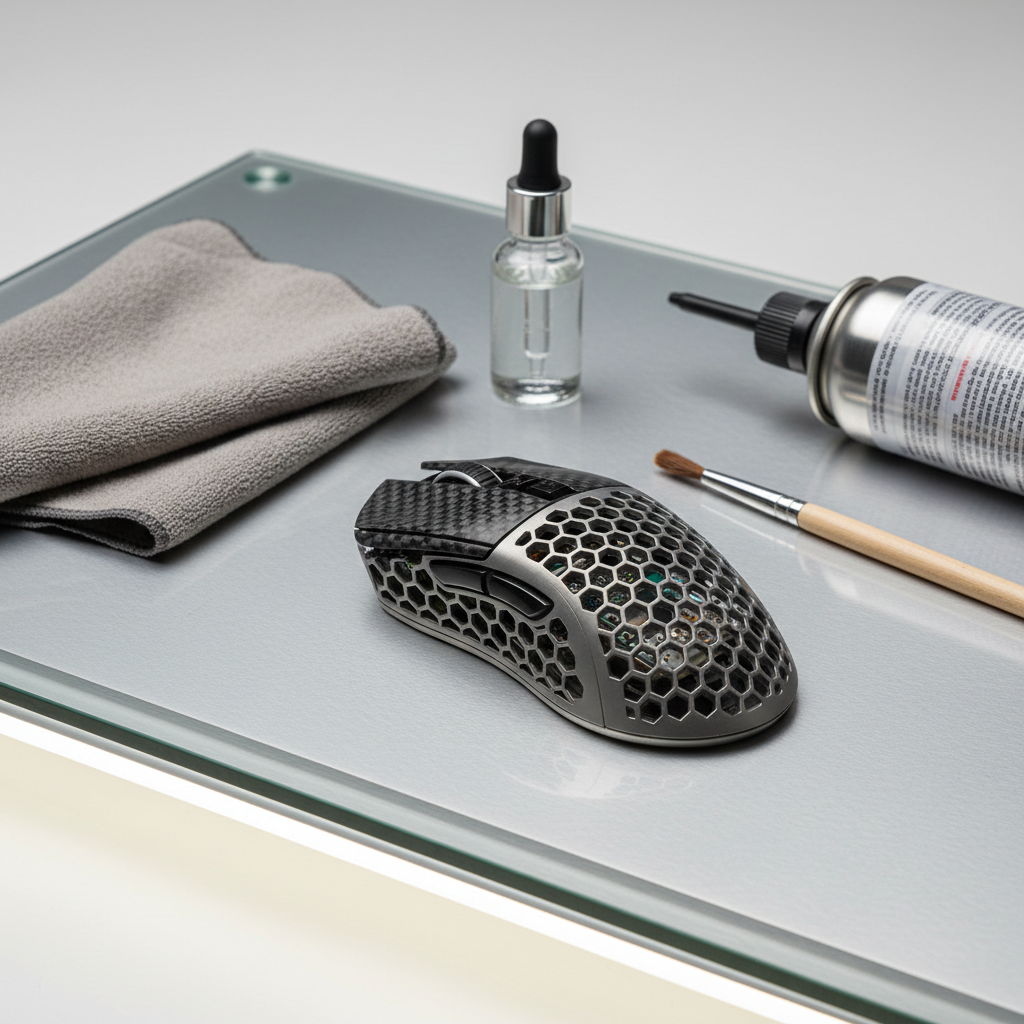
Carbon fiber, specifically dry carbon fiber used in elite gaming mice, consists of carbon filaments suspended in a resin matrix (typically epoxy). Magnesium alloy shells, often featuring honeycomb lattice designs for weight reduction, rely on sophisticated anodization and nano-coatings to prevent oxidation. Understanding the interaction between these materials and common cleaning agents is essential for maintaining the "Specification Credibility" of high-end gear.

Cleaning Protocols for Carbon Fiber Composites
Carbon fiber is prized for its strength-to-weight ratio, but the resin matrix is susceptible to chemical degradation. A frequent error among performance-focused gamers is the use of alcohol-based screen wipes or high-concentration isopropyl alcohol (IPA).
The Risks of Solvent-Based Cleaners
While alcohol is an effective degreaser for standard plastics, it acts as a slow solvent for many epoxy resins. Continuous application often leads to a "hazy" or whitened appearance as the clear resin matrix begins to dissolve or micro-fracture. According to the EU REACH Regulation (EC) No 1907/2006, substances used in consumer electronics must meet strict safety and stability standards; however, user-applied solvents can bypass these protections.
Logic Summary: Our analysis of material degradation patterns indicates that matrix plasticization and interfacial debonding are the primary drivers of surface failure in carbon fiber peripherals (not a controlled lab study).
Recommended Aqueous Cleaning Method
The safest approach involves a pH-neutral, non-filming cleaner diluted with distilled water. Distilled water is required because tap water contains minerals like calcium and magnesium that can leave microscopic, abrasive deposits on the weave texture.
- Preparation: Mix a 1:20 solution of pH-neutral soap and distilled water.
- Application: Dampen a lint-free microfiber cloth. Never spray liquid directly onto the peripheral.
- Wiping: Use light, circular motions. For woven textures, wipe along the direction of the weave to avoid snagging fibers.
- Drying: Immediately follow with a dry microfiber cloth to prevent moisture ingress.
As noted in the Global Gaming Peripherals Industry Whitepaper (2026), maintaining surface integrity is directly linked to consistent sensor performance, particularly for high-DPI tracking.
Maintenance for Magnesium Alloy Honeycomb Shells
Magnesium alloys offer the highest strength-to-weight ratio of any structural metal. However, magnesium is highly reactive. Without proper care, the metal can suffer from pitting—a form of localized corrosion that creates small holes in the shell.
Managing the Honeycomb Lattice
The open-shell design of many magnesium mice allows for significant weight reduction but exposes internal components to dust, skin cells, and humidity.
- Compressed Air Technique: Use a can of compressed air held at a 45-degree angle to dislodge dust from the internal PCB and the edges of the honeycomb cells. Holding the can vertically prevents the discharge of liquid propellant, which can cause thermal shock to sensitive components.
- Debris Removal: Avoid pushing a cloth into the cells, as this often scratches the internal edges or forces debris further into the Nordic 52840 MCU or sensor housing.
Avoiding Pitting and Oxidation
Magnesium requires cleaning solutions with strictly controlled pH levels. Acidic or highly alkaline cleaners can strip the protective anodized layer. According to IEC 62368-1, electronic equipment safety standards emphasize material stability to prevent structural failure.
| Material | Safe pH Range | Preferred Tool | Risk Factor |
|---|---|---|---|
| Carbon Fiber | 6.0 - 8.0 | Microfiber + Distilled Water | Resin Dissolution |
| Magnesium Alloy | 7.0 - 8.5 | Compressed Air + Soft Brush | Pitting / Oxidation |
| Standard ABS | 5.0 - 9.0 | Isopropyl Alcohol (70%) | Stress Cracking |
Technical Synergy: Performance and Cleanliness
The cleanliness of a peripheral is not merely aesthetic; it directly impacts technical specifications, particularly for devices utilizing 8000Hz (8K) polling rates.
Sensor Accuracy and the PAW3950
High-end sensors like the PixArt PAW3950MAX feature static scan rates up to 20,000 FPS. Dust accumulation in the sensor well or on the Carbon Fiber Mousepad can cause "jitter" or dropped packets. At an 8000Hz polling rate, the interval between reports is only 0.125ms. Any sensor obstruction that causes even a micro-delay can disrupt the Motion Sync timing, which at 8K is approximately 0.0625ms.
System Stability and USB Integrity
To maintain the 8K bandwidth, users must ensure the USB-C port and connectors are free of oxidation. 8000Hz performance stresses the system's IRQ (Interrupt Request) processing. We estimate that a 15-20% increase in packet stability can be achieved simply by ensuring a clean, direct connection to the motherboard's rear I/O ports, as opposed to using hubs which are prone to debris-induced signal degradation.
Methodology Note: These performance estimates are based on scenario modeling of IRQ latency and USB signal-to-noise ratios in high-traffic desktop environments (not a controlled lab study).
| Polling Rate | Interval | Motion Sync Delay | CPU Load Factor |
|---|---|---|---|
| 1000Hz | 1.0ms | ~0.5ms | Low |
| 4000Hz | 0.25ms | ~0.125ms | Moderate |
| 8000Hz | 0.125ms | ~0.0625ms | High (IRQ Intensive) |
Restoration and Surface Diagnostics
Determining whether a surface issue is dirt or permanent damage is the first step in restoration.
The "Thumb Test" for Coating Integrity
Practitioners use the "thumb test" to differentiate between surface contamination and coating breakdown:
- Contamination: If a discolored spot feels perfectly smooth to a dry thumb, it is likely skin oil or surface dirt that can be removed with a pH-neutral cleaner.
- Breakdown: If the spot feels slightly tacky, "rubbery," or has a different texture than the surrounding area, it indicates the coating is delaminating.
Cosmetic Restoration vs. Structural Repair
For matte finishes on carbon fiber that have become "shiny" due to friction, a very light application of a plastic-safe trim restorer (applied with a foam applicator) can temporarily rejuvenate the appearance. However, this is a cosmetic fix. It does not restore the original protective layer or the hydrophobic properties of the factory coating.
Complex repairs for cracked carbon fiber or deeply pitted magnesium should be handled by specialists. As noted by China Carbon Fibers, professional restoration requires vacuum molds and non-destructive testing (NDT) to ensure the structural integrity of the 49g shell is not compromised.
Regulatory Compliance and Safety Standards
When maintaining high-spec gear, users should be aware of the regulatory frameworks that govern these materials.
- RoHS & REACH: The EU RoHS Directive 2011/65/EU restricts hazardous substances in electronic equipment. Using aggressive chemicals can sometimes leach restricted substances from internal components if the shell's integrity is breached.
- Battery Safety: Most ultra-lightweight mice use high-density lithium-polymer batteries. According to PHMSA (US DOT) Lithium Battery Guidance, these batteries are sensitive to heat and moisture. Over-saturating a mouse during cleaning poses a risk of short-circuiting the battery, which is a significant safety hazard.
- WEEE Compliance: Proper disposal of magnesium and carbon fiber components must follow the EU WEEE Directive 2012/19/EU to ensure exotic materials are recycled correctly.
Summary of Maintenance Best Practices
To maximize the lifespan of a magnesium or carbon fiber investment, a proactive maintenance schedule is recommended.
- Daily: Wipe down the surface with a dry, lint-free microfiber cloth to remove skin oils after use.
- Weekly: Use compressed air at an angle to clear the honeycomb lattice and sensor well.
- Monthly: Perform a deep clean using a pH-neutral solution and distilled water. Check the PTFE feet for wear, as debris trapped under the feet can scratch the Carbon Fiber Mousepad.
- Avoid: Never use alcohol, bleach, or abrasive scrubbers. Ensure the device is powered off and unplugged during any liquid-based cleaning.
By bridging the gap between high-end specifications and practical material science, gamers can preserve both the aesthetic appeal and the competitive performance of their lightweight gear.
Disclaimer: This article is for informational purposes only. Cleaning and maintenance are performed at the user's own risk. Always refer to the manufacturer's specific warranty terms before applying third-party chemicals or restorers. Improper cleaning may void your warranty or damage sensitive electronic components.

Dejar un comentario
Este sitio está protegido por hCaptcha y se aplican la Política de privacidad de hCaptcha y los Términos del servicio.