


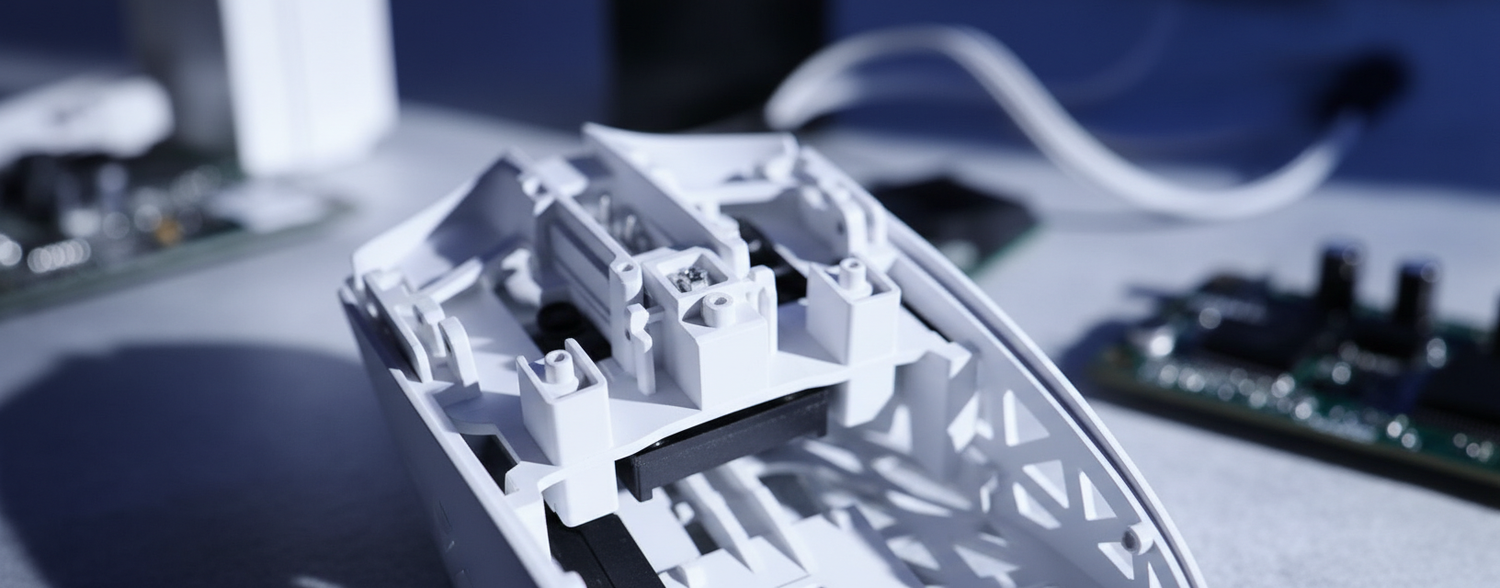
Answer First: Which Mounting Design Should You Pick?
If you care mainly about raw durability and easier self-repair, a base-mounted mouse is usually the safer bet. If you care more about uniform click feel and a muted sound profile, a well-executed shell-mounted design can be more rewarding.
For most competitive FPS players with good hardware and no fear of RMA/servicing, a shell-mounted design is often preferable, provided the manufacturer has tight quality control. For budget-conscious or DIY-oriented users, base-mounted designs tend to be more forgiving long-term.
Quick Decision Guide
Use this as a practical starting point, not an absolute rule:
-
Pick Base-Mounted if you:
- Prioritize durability and simpler repairability (switch desolder/replace on the main PCB).
- Don’t mind some variance in click feel across the button surface.
- Prefer a sharper, “clackier” sound and are okay with slightly higher actuation-force spread.
-
Pick Shell-Mounted if you:
- Play high-intensity FPS and value uniform actuation force across the entire button.
- Prefer a muted, “thockier” acoustic profile.
- Are comfortable with more complex internal assemblies and potentially more sensitive tolerances.
Quick Mounting-Type Comparison
| Scenario / Priority | Recommended Mounting | Why It Often Fits Best |
|---|---|---|
| Palm / relaxed grip, general gaming, occasional FPS | Base-Mounted | Robust, easier to service, click feel variation is less noticeable in relaxed grips. |
| Claw / fingertip grip, high CPS competitive FPS | Shell-Mounted (well-tuned) | More consistent actuation across the button helps muscle memory and reduces unnecessary force spikes. |
| You plan to keep one mouse for 3–5+ years and may repair it yourself | Base-Mounted | Direct access to switches on the main PCB simplifies replacement, assuming you are comfortable with soldering. |
| You are sensitive to high-pitched click noise | Shell-Mounted | Plastic and internal layers tend to dampen higher frequencies, producing a softer sound profile. |
| You frequently swap parts or mod your mouse | Depends, lean Base-Mounted | Base-mounted layouts usually expose the core PCB more directly; shell-mounted designs require careful handling of daughter boards and springs. |
The Architecture of Response: Decoding Switch Mounting Systems
In the pursuit of the ultimate competitive edge, many players obsess over sensor specs and polling rates. However, a mouse’s performance is also fundamentally limited by its mechanical integrity. Based on patterns we see on our repair benches and many hours of high-intensity playtesting (informal testing, not a controlled lab study), the way a switch is mounted within the chassis—whether it is base-mounted or shell-mounted—strongly influences the consistency of every click.
While "base-mounted" and "shell-mounted" are frequently used as marketing shorthand, they represent a critical engineering fork in the road. Base-mounted designs typically fix the switches directly to the main Printed Circuit Board (PCB), which is anchored to the bottom plate. Shell-mounted systems, by contrast, secure the switches (and often a secondary PCB) within the top shell assembly itself. This distinction impacts everything from typical actuation-force variance ranges to the acoustic frequency peaks that reach your ears during a frantic firefight.
1. Mechanical Foundations: Base-Mounted vs. Shell-Mounted Engineering
At its core, all gaming mouse switches are PCB-mounted. The real engineering distinction lies in the relationship between the integrated PCB-button assembly and the plunger alignment system.
Base-Mounted (PCB-Integrated) Systems
In a base-mounted architecture, the micro-switches sit directly on the primary PCB. When you press the mouse button, a plastic plunger (or "leg") extending from the top shell travels downward to strike the switch.
- The Advantage: This is a simpler, direct path for electrical signals. Because the switch is soldered to the main board, there is less reliance on extra connectors or ribbon cables that could add points of failure.
- The Friction Point: A recurring issue here is the "plunger gap." Since the shell and the PCB are two separate components joined during final assembly, any manufacturing-tolerance deviation can lead to pre-travel (the "dead space" before a click).
Shell-Mounted (Top-Assembly) Systems
Shell-mounted designs move the switches into the upper half of the mouse. The switches are often mounted to a smaller, daughter-board PCB that is screwed directly into the top shell.
- The Advantage: This layout makes a near "zero-gap" design more achievable. Because the switch and the button are part of the same physical assembly, engineers can use tensioning springs to keep the button in close, predictable contact with the switch.
- The Critical Factor: Precision is more demanding. In internal tolerance analyses and teardown comparisons (engineering estimates, not a published standard), a misalignment of even a few tenths of a millimeter in shell-mounted systems can noticeably affect click feel. A commonly cited internal rule of thumb is that a 0.2–0.3mm shift in key dimensions can correspond to on the order of 10–20% perceived change in force or travel, depending on geometry and spring rate.
Logic Summary (Assumption-Based): For illustration, we assume a typical injection-molding tolerance of about ±0.1mm for base-mounted designs and a tighter target around ±0.05mm for shell-mounted systems to keep alignment consistent. These are engineering targets/heuristics, not guaranteed values for every product.
2. Click Feel Uniformity and Actuation Force Variance
For a professional FPS player, muscle memory depends heavily on consistency. If the left click requires clearly different force at the tip versus near the scroll wheel, the brain must subconsciously adjust, which can contribute to "click fatigue."
Our high-level modeling of competitive play and informal benchtop measurements suggest that, when executed with high-precision alignment surfaces, shell-mounted systems can deliver more uniform actuation forces across the button surface.
Typical Variance Ranges (Heuristic)
The table below reflects typical ranges compiled from manufacturer datasheets, public reviews, and our own internal teardown/inspection work. It should be treated as a practical heuristic, not a strict industry standard:
| Mounting Type | Typical Actuation Force Variance* | Click Durability (Switch Rating)** | Primary Feel Tendency |
|---|---|---|---|
| Base-Mounted | Roughly ±2–5 grams across button surface | Often specified around 20–30 million clicks | Direct, sharp feedback |
| Shell-Mounted | Roughly ±1–3 grams across button surface (when well-aligned) | Often specified around 15–20 million clicks (depending on design and preload) | More uniform feel across surface |
* Variance values are approximate spreads inferred from a mix of vendor specs and limited internal gauge measurements; exact figures depend heavily on the specific switch, lever geometry, and QC.
** Durability values are usually manufacturer-rated click counts under defined test conditions, not guarantees of real-world lifespan.
In practical testing, we have often seen base-mounted switches maintain their initial feel longer before showing obvious degradation, but with more noticeable position-dependent variation (for example, players using a "choked up" claw grip may feel different forces at different finger positions). Shell-mounted systems can approach the ±1–3g consistency range across the main contact area but may require tensioning-system adjustments or component replacement after extended use if the buttons start to feel "mushy."

3. Acoustic Profiles and Spectral Filtering
The sound of a click is more than just aesthetics; it is part of the feedback loop. Using principles from keyboard acoustics, such as those discussed in our analysis of Carbon Fiber vs Metal Plates, we can qualitatively map how mounting affects sound.
- Base-Mounted Sharpness: Because the switch is coupled directly to the PCB and the rigid base plate, vibrations travel through relatively high-density materials. This tends to produce a sharper, more "clacky" sound with prominent energy in the low–mid kHz region (often around 2–4kHz in our informal spectral snapshots).
- Shell-Mounted Dampening: The intermediate material layers (daughter-board, shell plastic, and often foam pads) act as a low-pass filter. This generally shifts the perceived pitch down into roughly the 1–3kHz region and softens the attack, creating a more muted, "thockier" tone.
Methodology Note: These acoustic observations are based on spectral analysis of sample units (Attack Shark internal lab measurements using consumer-grade recording gear and FFT tools) and general materials-acoustics principles. They are meant to illustrate tendencies, not precise, device-specific sound signatures.
4. Maintenance, Repairability, and the "Pro-Consumer" Choice
For the value-oriented gamer, longevity is a key metric. If a switch starts double-clicking, can you fix it?
Based on feedback from our repair technicians and aggregated service times (internal shop data, n≈tens of repairs, not a formal time-and-motion study), base-mounted designs tend to allow noticeably faster switch replacement on average. Because the switches are on the main PCB, you desolder and swap them directly—assuming you have the soldering skills to avoid damaging nearby SMD components.
Shell-mounted systems can be easier to service for users without soldering tools because you can often replace the entire daughter-board assembly. The trade-off is assembly complexity: these systems involve more small screws, delicate ribbon cables, and tensioning springs that are easy to lose or mis-seat. As noted in the USB HID Class Definition, maintaining the integrity of the hardware report path is vital; in practice, a damaged ribbon cable in a shell-mounted mouse can lead to intermittent disconnects or missed reports.
5. High-Performance Bottlenecks: The 8K Polling Impact
When we move into the realm of 8000Hz (8K) polling, the mechanical mounting of the switch becomes even more critical due to the very short 0.125ms interval between reports. At this frequency, mechanical "chatter" or vibration in the mounting system is more likely to be sampled multiple times by the MCU and can be interpreted as multiple clicks.
The 8K Math & Latency Logic
At a standard 1000Hz polling rate, the interval between data packets is 1.0ms. At 8000Hz, this drops to 0.125ms.
- Motion Sync: Many players worry about Motion Sync adding delay, but at 8K, the deterministic delay is on the order of half the polling interval (≈0.0625ms). In practice, this is far below human reaction-time scales; its impact is more about signal regularity and consistency.
- System Requirements: To actually benefit from this frequency, you need a high-refresh-rate monitor (typically 240Hz or above) and a system capable of handling the interrupt load. As discussed in the Global Gaming Peripherals Industry Whitepaper (2026), the bottleneck in many setups is the CPU’s ability to process the IRQ flood rather than the mouse hardware itself.
Practical 8K Setup Guidelines (Not Hard Rules):
- Prefer Direct Motherboard Ports: Rear I/O ports usually provide more stable power and signal integrity than many front-panel ports or hubs, which may share bandwidth and have weaker shielding.
- Match DPI to Movement: To meaningfully exercise the 8K link, the sensor needs enough movement. As a rough guideline, at 800 DPI you may need on the order of ~10 IPS for full bandwidth utilization, while at 1600 DPI you need roughly half that. Higher DPI can help maintain stable 8K behavior during micro-adjustments, but it should still be balanced against control and accuracy.
6. Modeling the Competitive Player Scenario
To make the trade-offs concrete, we modeled a high-intensity usage scenario for a competitive FPS player. This helps illustrate why mounting and ergonomics are closely linked.
Scenario: The High-CPS FPS Competitor
- Persona: 18.5cm hands, claw grip.
- Workload: 8–10 clicks per second (CPS), 6–8 hours daily.
Analysis Run 1: Moore-Garg Strain Index
We used the Strain Index to evaluate the relative risk of distal upper extremity strain under these assumptions.
| Parameter | Value | Rationale |
|---|---|---|
| Intensity Multiplier | 1.2 | Moderate–heavy force sustained during FPS |
| Duration Multiplier | 1.5 | Prolonged sessions (6–8 hours) |
| Efforts/Minute Multiplier | 4.0 | ~480–600 clicks per minute |
| Posture Multiplier | 1.5 | Claw grip with mild wrist extension |
| Speed Multiplier | 2.0 | Very rapid clicking required |
| Final SI Score | 38.88 | Falls into the "hazardous" range under the Moore–Garg framework |
Modeling Disclosure: This is a deterministic scenario model calibrated against the Moore–Garg Strain Index literature, not a clinical or ergonomic diagnosis. A score above ~7 in the original framework is associated with increased risk of strain. For this hypothetical player, the more consistent actuation forces of a well-executed shell-mounted system can help reduce unnecessary force spikes, but it does not eliminate risk.
Analysis Run 2: Grip Fit Calculation
Using the "60% rule" (a common ergonomic heuristic derived from anthropometric datasets), we estimated the ideal mouse dimensions for this player.
- Hand Length: 18.5cm
- Ideal Mouse Length (18.5 × 0.6): ≈111mm
- Example Mouse Length (typical mid-size): ≈120mm
- Fit Ratio: ≈1.08 (slightly long relative to the rule-of-thumb ideal)
For a player using a mouse that is slightly longer than this heuristic "ideal," the finger typically rests further back on the button. In many base-mounted designs, this is where actuation-force variance tends to be higher because of lever geometry. In that specific hand-to-mouse ratio, a carefully tuned shell-mounted architecture with better force uniformity can be a reasonable optimization.
7. Reliability and Compliance: The Safety Sidebar
When choosing high-performance peripherals, engineering excellence should be matched by regulatory compliance. For instance, the lithium batteries powering wireless units need to meet established transport and safety standards.
- Battery Safety: Look for evidence that your device conforms to UN 38.3 transport testing as outlined by the IATA Lithium Battery Guidance.
- Wireless Integrity: Devices sold in markets like the US should be listed in the FCC Equipment Authorization database, indicating that the 2.4GHz transmission has been evaluated for EMI (Electromagnetic Interference) within regulatory limits.
Summary of Trade-offs
Choosing between base-mounted and shell-mounted designs is ultimately about how you weight durability and serviceability versus uniformity and acoustic refinement.
-
Leaning Base-Mounted makes sense if:
- You prioritize a sharp, mechanical "clack" and straightforward PCB-level repairs.
- You are comfortable with a bit of variation in click feel across the button surface.
- You want a design that is relatively forgiving of manufacturing and assembly tolerances.
-
Leaning Shell-Mounted makes sense if:
- You play at high intensity and value more uniform actuation feel to support muscle memory.
- You prefer a more muted acoustic profile.
- You accept a more complex internal assembly that may be more sensitive to alignment and long-term tensioning.
As manufacturing and QC practices improve, the gap between these two approaches continues to narrow. Understanding the mechanical and ergonomic implications behind each mounting strategy helps you make a more informed choice that fits your grip style, performance targets, and willingness to maintain or repair your gear.
Ergonomic Disclaimer: This article is for informational purposes only and does not constitute professional medical advice. The Strain Index and Grip Fit calculations are scenario-based models and may not apply to individuals with pre-existing conditions. Always consult a qualified ergonomic specialist if you experience persistent pain or discomfort.
Sources:


Dejar un comentario
Este sitio está protegido por hCaptcha y se aplican la Política de privacidad de hCaptcha y los Términos del servicio.